OpsVue · Work Hub
Every job, from first quote to final invoice, in one record.
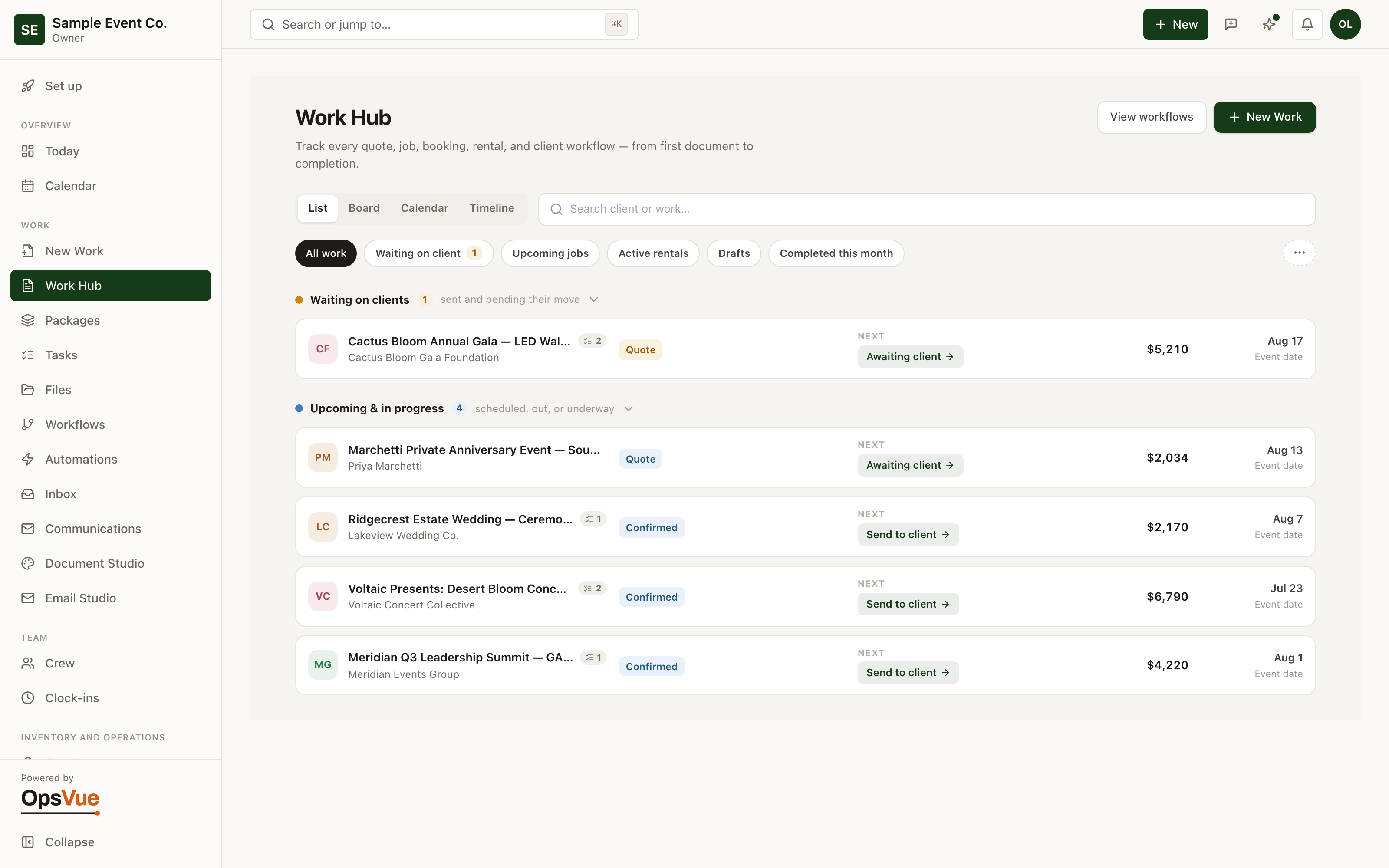
The Work Hub is the operating spine of OpsVue. Every piece of work — a quote, a confirmed job, a booking, a rental — lives as one record that carries its own documents, tasks, files, conversations, and money.
Open the record and you know what is happening, who is involved, what has been completed, and what comes next. No re-assembling the story from an inbox, a spreadsheet, and someone's memory.
The quote is in one tool, the emails in an inbox, the tasks in a notes app, and the deposit in a payments dashboard — job status lives in your memory.
Answering where a job stands takes a tour of five tabs, so nobody checks until something has already slipped.
Repeat clients get treated like strangers because their history is scattered across old threads and archived folders.
Nobody can say which clients actually send you work — referrals live in your head, and thank-yous depend on memory.
New work starts differently every time, so records are inconsistent from day one and stay that way.
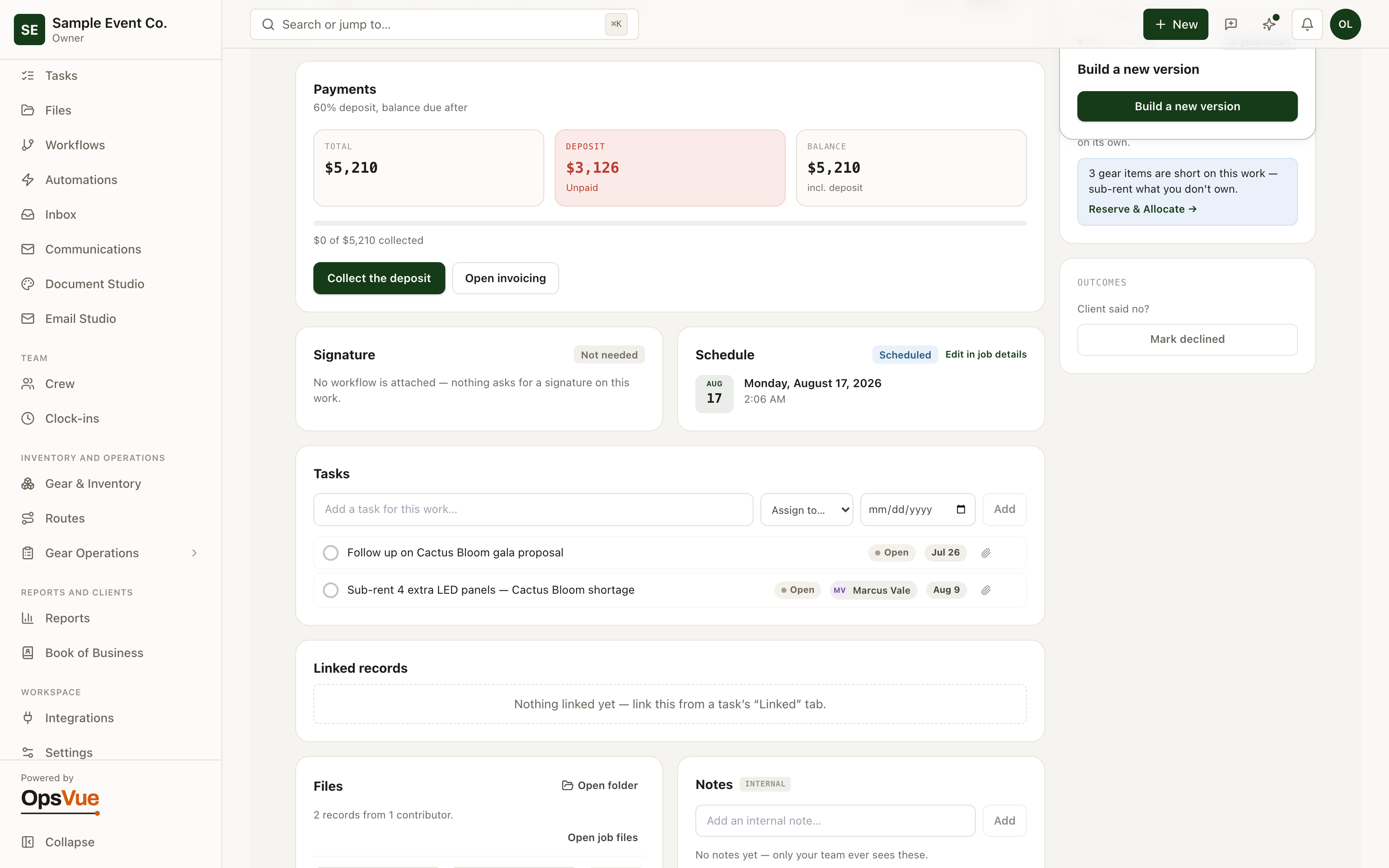
Every job is one work record: the quote and its versions, invoices and payments, tasks, files, notes, and client responses in a single place.
The record shows where the job stands at a glance: sent, viewed, accepted, invoiced, paid.
A returning client arrives with history attached — every past job, document, response, and payment already on their record.
Referrals and lead sources are recorded facts, so you can see who sends you work and what that work has been worth.
All new work enters through one guided door that catches duplicate clients and starts every record the same way.
The foundation
The foundation for every Work Hub workflow.
Job pipeline
Every quote, job, booking & rental in one list — filter to what needs you.
Workflow & docs
Track each step from quote to complete — every document lives in one Builder.
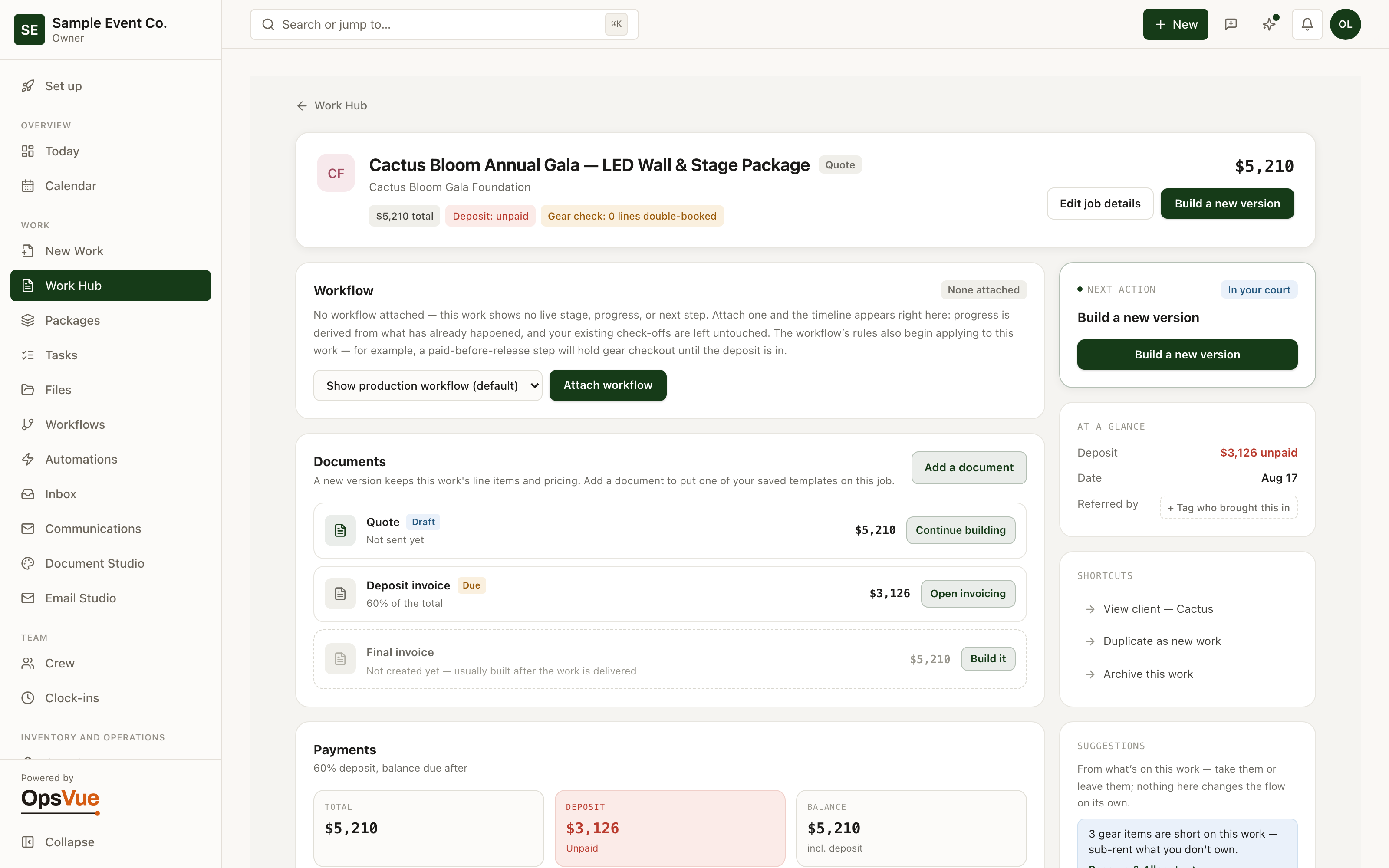
Client acceptance
Clients accept the quote and drop in a PO number — the deposit invoice goes out with it attached.
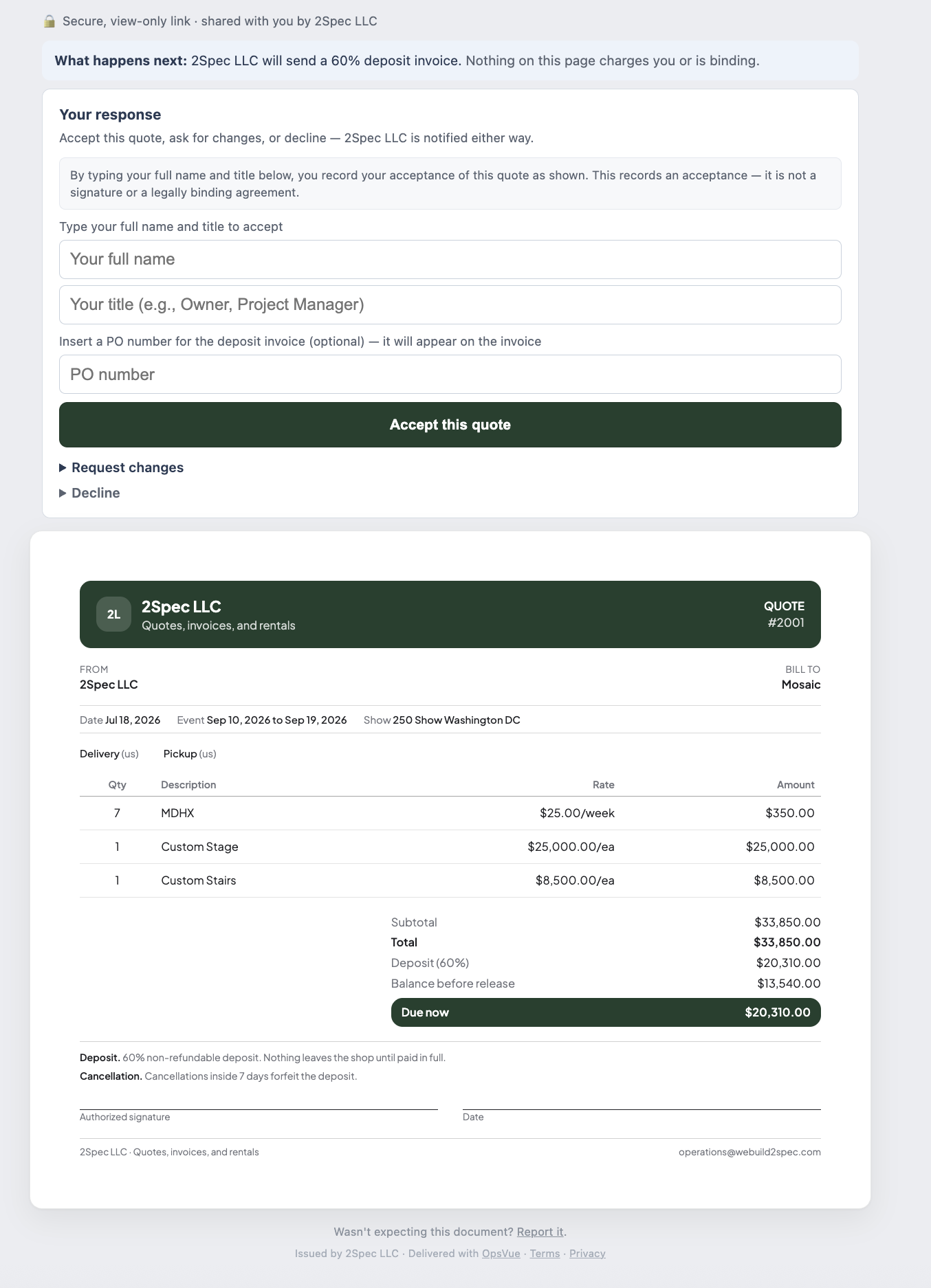
Generate invoices
Generate the deposit invoice in a click — with the PO number on it.
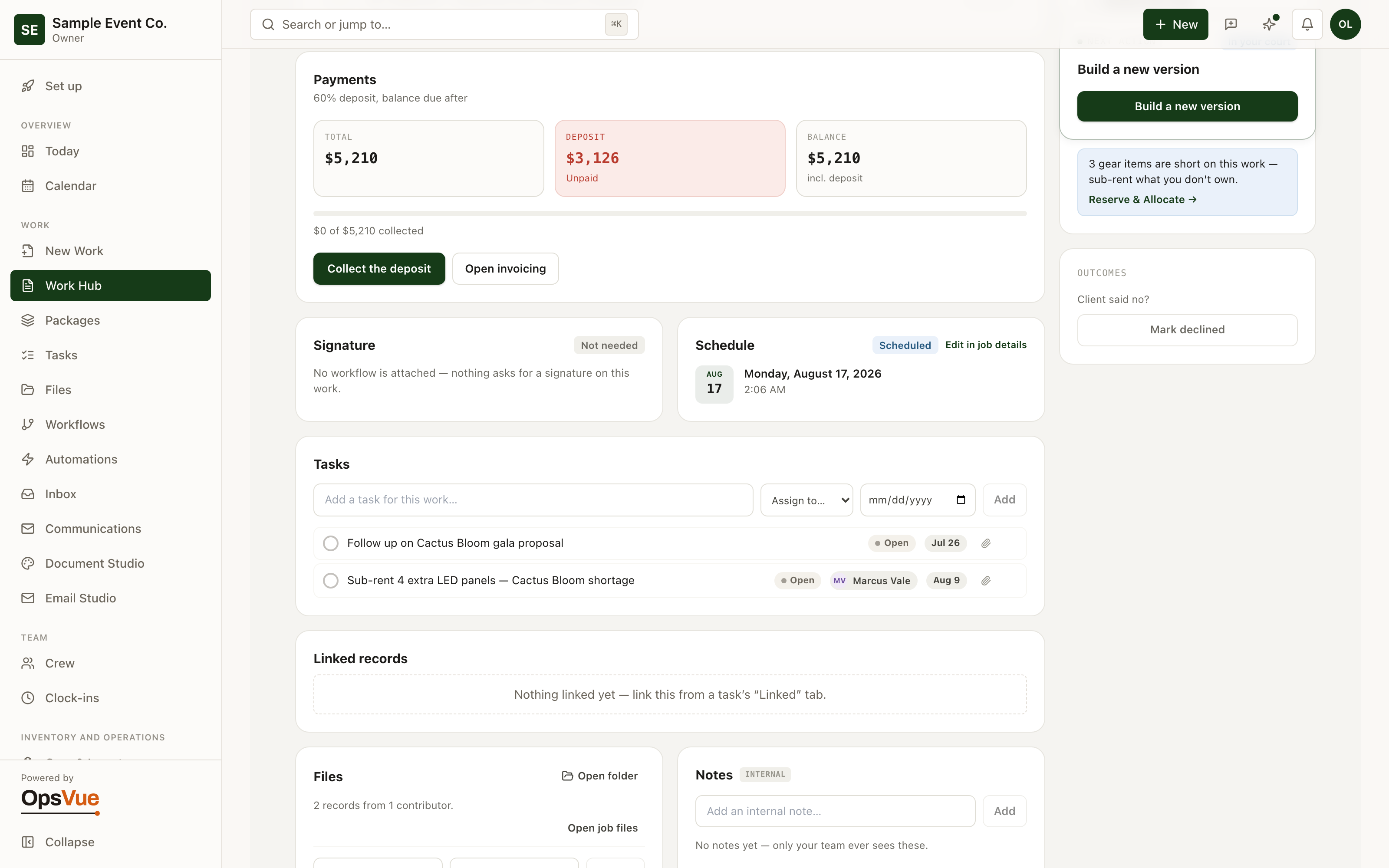
Tasks & activity
Tasks, files, notes and a full activity trail on every piece of work.
And around it
Plus everything you need to get it done.
Each job carries its quote versions, invoices and payments, tasks, files, notes, and a running activity timeline — including when the client viewed the document and how they responded. One page answers where the job stands.
The Work Hub shows every job moving from inquiry to drafting, sent, booked, invoiced, paid, and closed — with saved views and search so the jobs that need attention surface themselves.
Clients and the people behind them live in one directory with lifetime totals for quoted, invoiced, and received — plus top clients, recent activity, and a list of the ones going quiet.
Contacts are first-class: when a person changes employers, their history and the relationship follow them. Duplicate detection and merging keep the book clean as it grows.
Record who introduced each job and where each client came from. A growth view shows repeat rate, referral-credited revenue, and your top referrers, so gratitude and marketing both run on facts.
The new-work flow walks from document type to workflow to client, flags likely duplicates as you type, and starts every job with the same complete setup.
Pin a next action on any client and it becomes an actual task with an owner and a due date — not a mental note that evaporates by Friday.
Import clients from a CSV with a preview before anything is written, and add custom fields for the details that make your clients yours.
Go deeper: Client & Work Management — the operational problem this solves, end to end.
Work Hub is just the beginning.
Every part of OpsVue runs in the same system, connected to the same work — so each piece you turn on makes the rest more useful.
No credit card required.