OpsVue · Crew
The people side of the operation, organized.
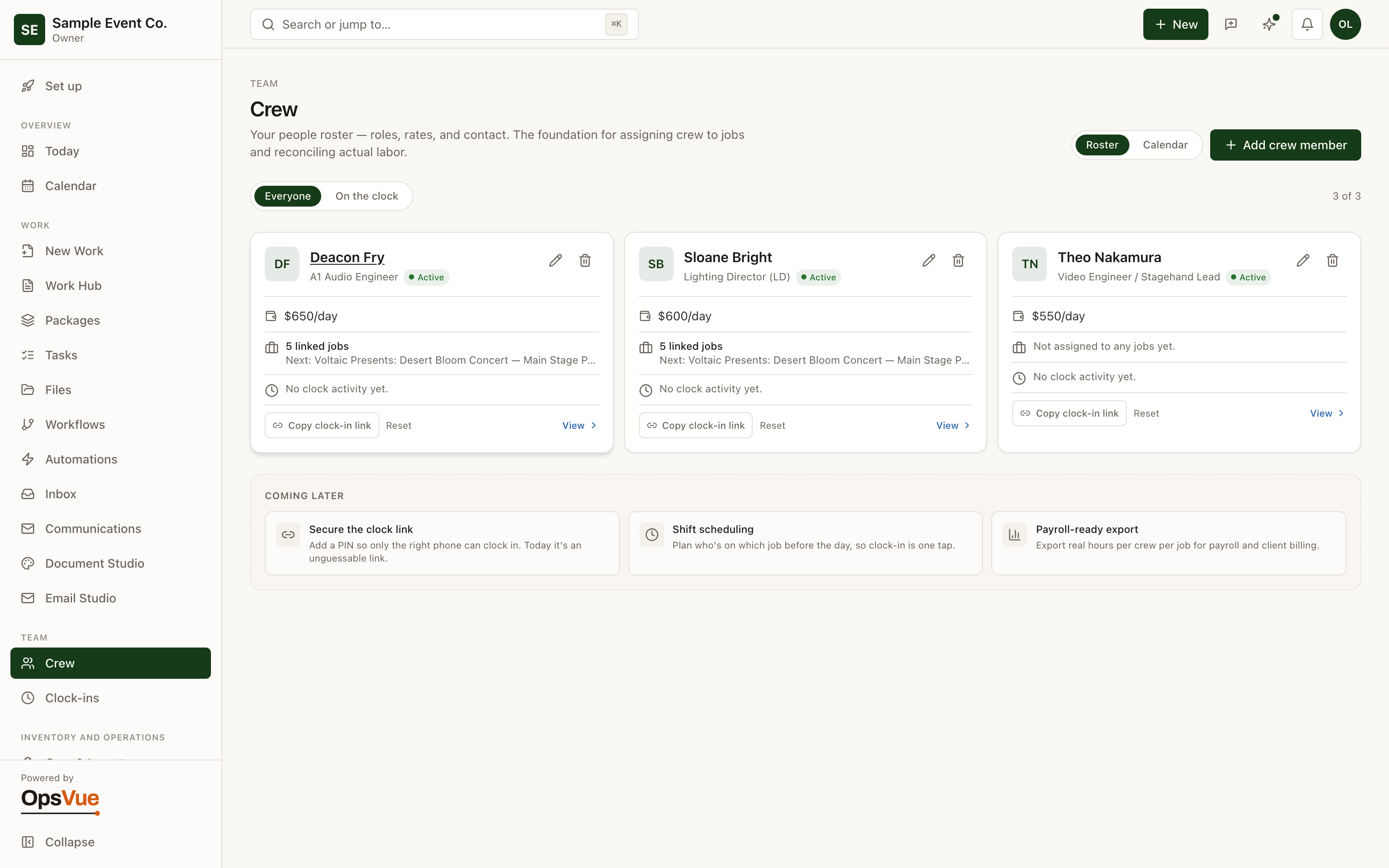
Crew keeps the roster in the same system as the work: every person with their role, pay rate, contact details, and live clock-in status.
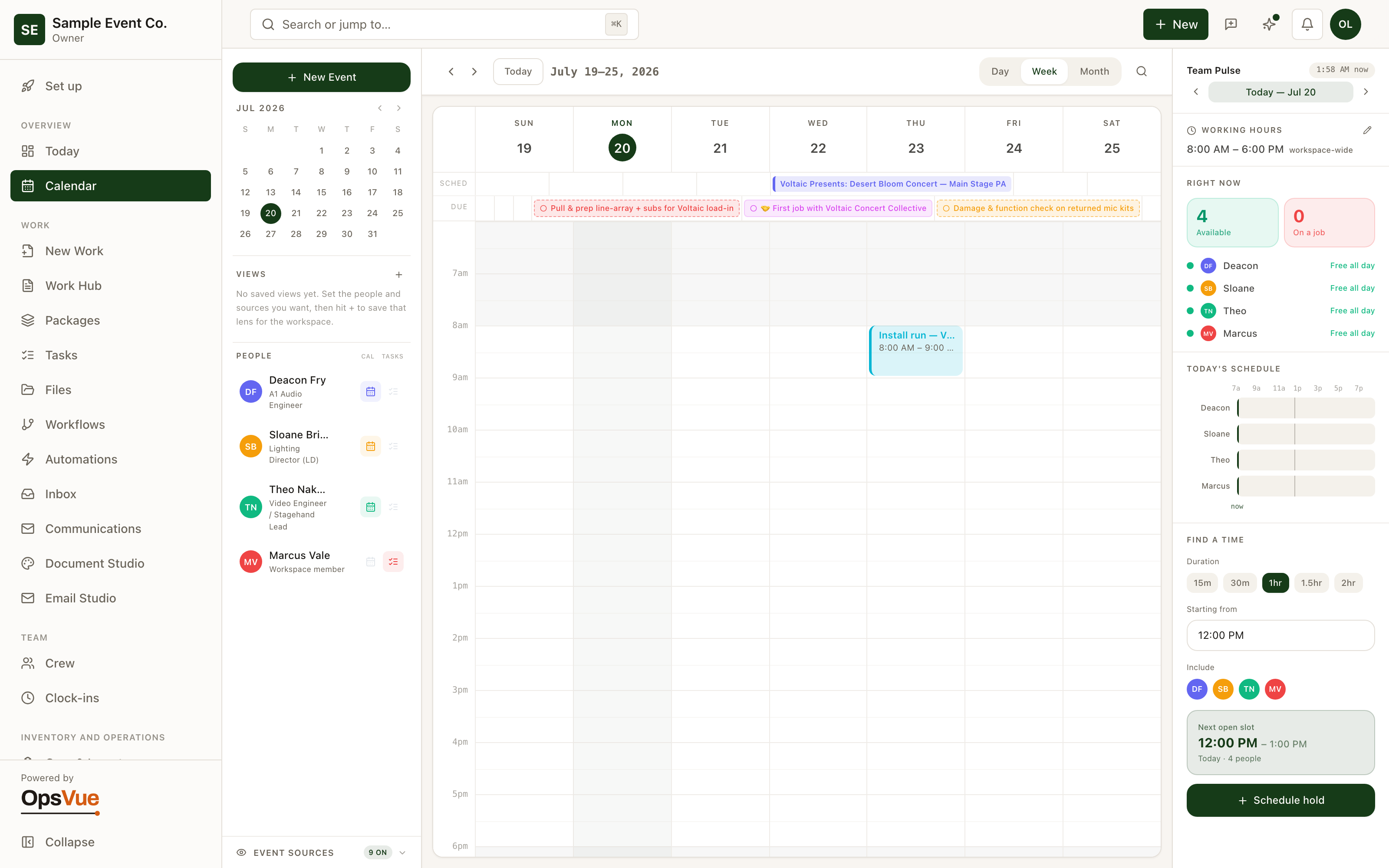
Share a clock-in link and you can see who's on the clock right now — and the Calendar's people rail is built on this same roster, so staffing a schedule starts from real availability.
The roster is a spreadsheet, pay rates live in another one, and phone numbers are in someone's contacts.
Who's working right now is a group-text question, answered whenever someone looks at their phone.
Hours get reconstructed at the end of the week from memory and apologetic texts.
Scheduling starts from scratch every time because availability isn't written down anywhere.
Every person, role, pay rate, and contact detail lives in one roster.
A shareable clock-in link shows who is on the clock in real time.
Clock-ins become recorded hours you review and confirm — not a Friday reconstruction.
The Calendar's people rail is built on the same roster, so staffing starts from real availability.
The foundation
The foundation for every Crew workflow.
Roster
Your whole crew in one roster — roles, pay rates, contact details and live clock-in status.
Team Pulse
Team Pulse shows who is available right now and maps everyone's day — pick a duration and it finds the next open slot for the whole group.
And around it
Plus everything you need to get it done.
Each crew member carries a role and a pay rate, so labor context travels with the name.
Crew clock in and out from their phone through a shared link — no laptop, no chasing.
See who is on the clock right now, not who said they would be.
Recorded clock-ins land in one review queue where you confirm times before they become the record.
Team Pulse maps everyone's day and finds the next open slot for the whole group.
Go deeper: Tasks & Team Operations — the operational problem this solves, end to end.
Crew is just the beginning.
Every part of OpsVue runs in the same system, connected to the same work — so each piece you turn on makes the rest more useful.
No credit card required.