OpsVue · Tasks
Every task with an owner, a deadline, and a place.
Tasks in OpsVue don't float — they come from somewhere. A workflow step creates them, an automation queues them, or you assign one straight to a job. Either way the task keeps its context, so nobody has to ask what it's about.
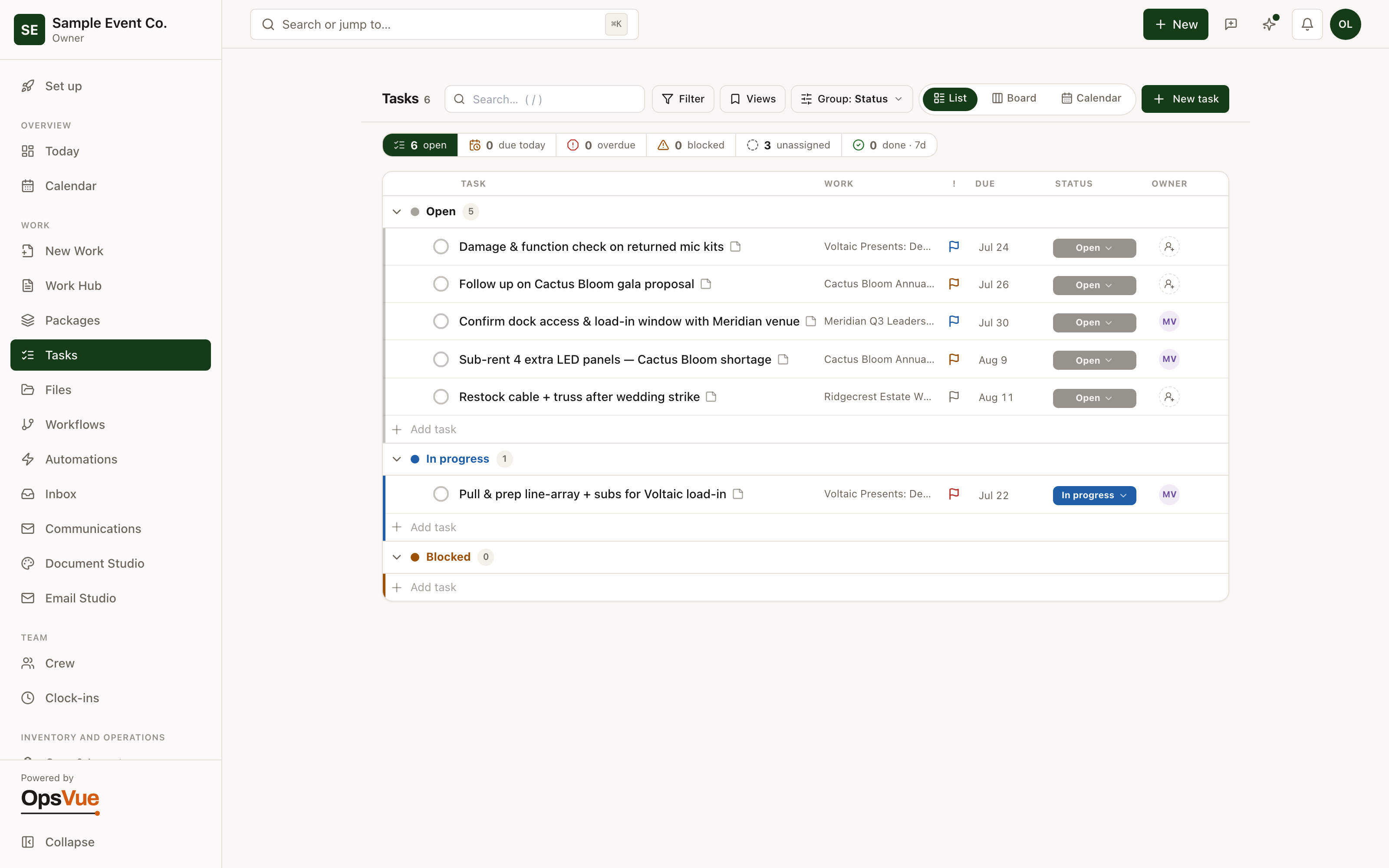
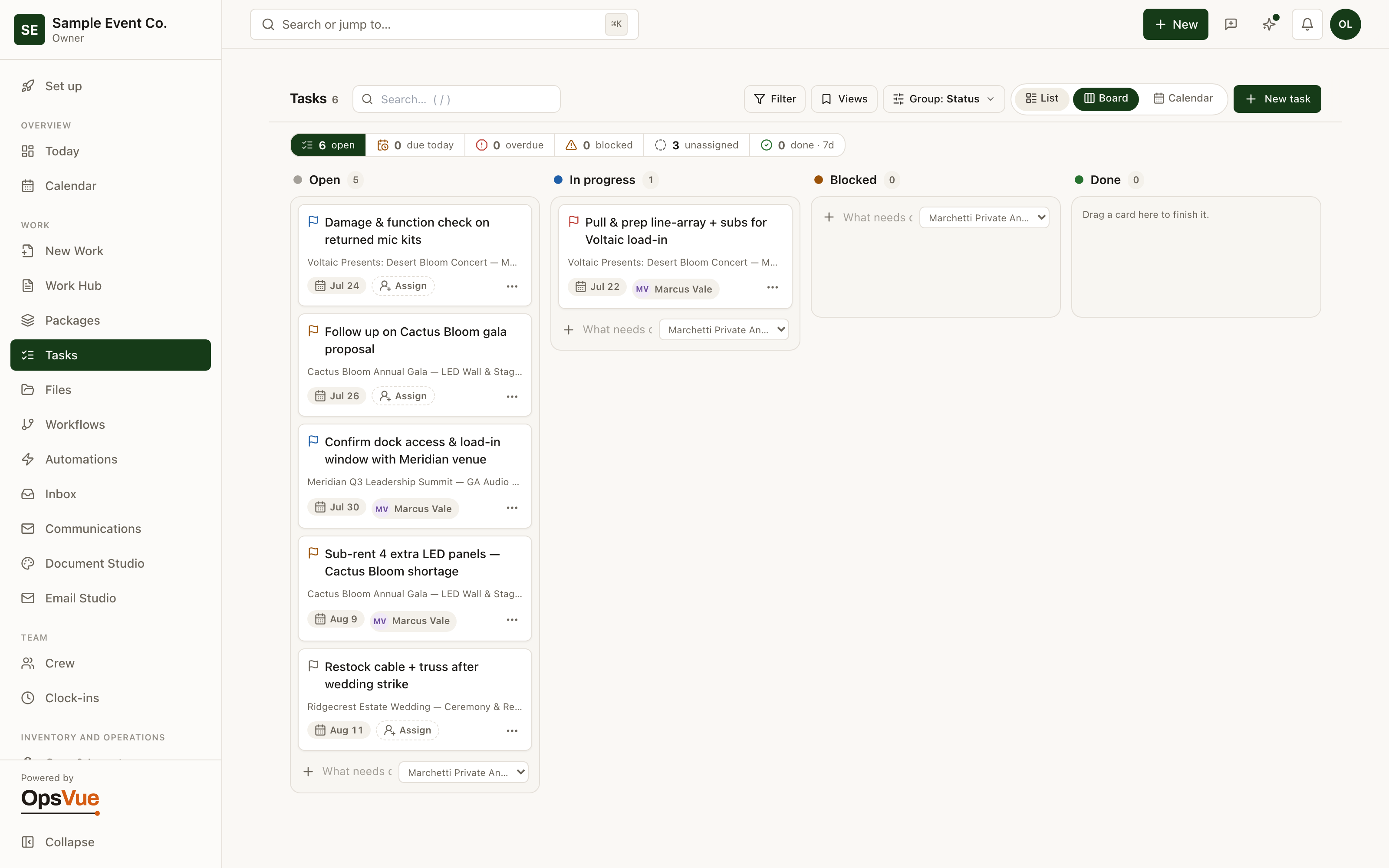
Work the list when you want focus, or switch to the board and drag work across Open, In progress, Blocked and Done.
To-dos live in group texts, notebooks, and memory — every job carrying its own scattered fragment of the list.
Assignment happens out loud, so half the tasks belong to everyone and get done by no one.
Nothing flags overdue work; a slipped task is discovered when the booking date arrives.
The steps every job needs get re-remembered and re-typed each time, or quietly skipped.
Tasks carry no context, so whoever picks one up starts by hunting for the job, the document, and the history behind it.
Every open task across every job sits in one hub, filterable by person, job, status, and due date.
Every task has an owner, a due date, and an overdue flag that does the nagging for you.
Workflow steps mint the standard tasks for each job automatically, so the routine steps exist without anyone typing them.
Tasks link to the records they're about (the job, the client, the items, the invoice), so context is one click away.
Comments, activity, and in-app notifications live on the task itself — and the group text finally retires.
The foundation
The foundation for every Tasks workflow.
List
Every task in one list — pulled from automations, your workflows, or assigned straight to a job.
Board
Switch to the board and drag work across Open, In progress, Blocked and Done.
And around it
Plus everything you need to get it done.
Tasks from every job, plus standalone workspace tasks, in a single view with statuses (open, in progress, blocked, done), priorities, labels, subtasks, and an order you can drag by hand.
Give every task an owner and a due date. Each person sees their own list, and overdue work flags itself instead of hiding until it's a problem.
Workflow steps create real tasks at the right moment — when the job books, when prep should start, when a handoff is due. Minted tasks carry their origin and are deduplicated, so reruns never spawn copies.
A task can link to the job, the client, specific items, an invoice, a repair, or a package — with backlinks from each record and a blocked-by relationship when one thing must wait on another.
Any task can require evidence before it closes: a photo, a file, or a comment. The final check actually happened, and there's a record that says so.
An in-app notification bell covers the moments worth interrupting for: a client viewed the document, responded, paid, or sent a file. Everything else waits in the list instead of pinging the whole team.
Go deeper: Tasks & Team Operations — the operational problem this solves, end to end.
Tasks are just the beginning.
Every part of OpsVue runs in the same system, connected to the same work — so each piece you turn on makes the rest more useful.
No credit card required.