OpsVue · Files
Every file sits with the work it belongs to.
Files in OpsVue attach to the job, not to a drive you have to go searching through. Each piece of work gets its own folder holding the documents OpsVue generated and the ones you uploaded — so the latest version is always where you would look for it.
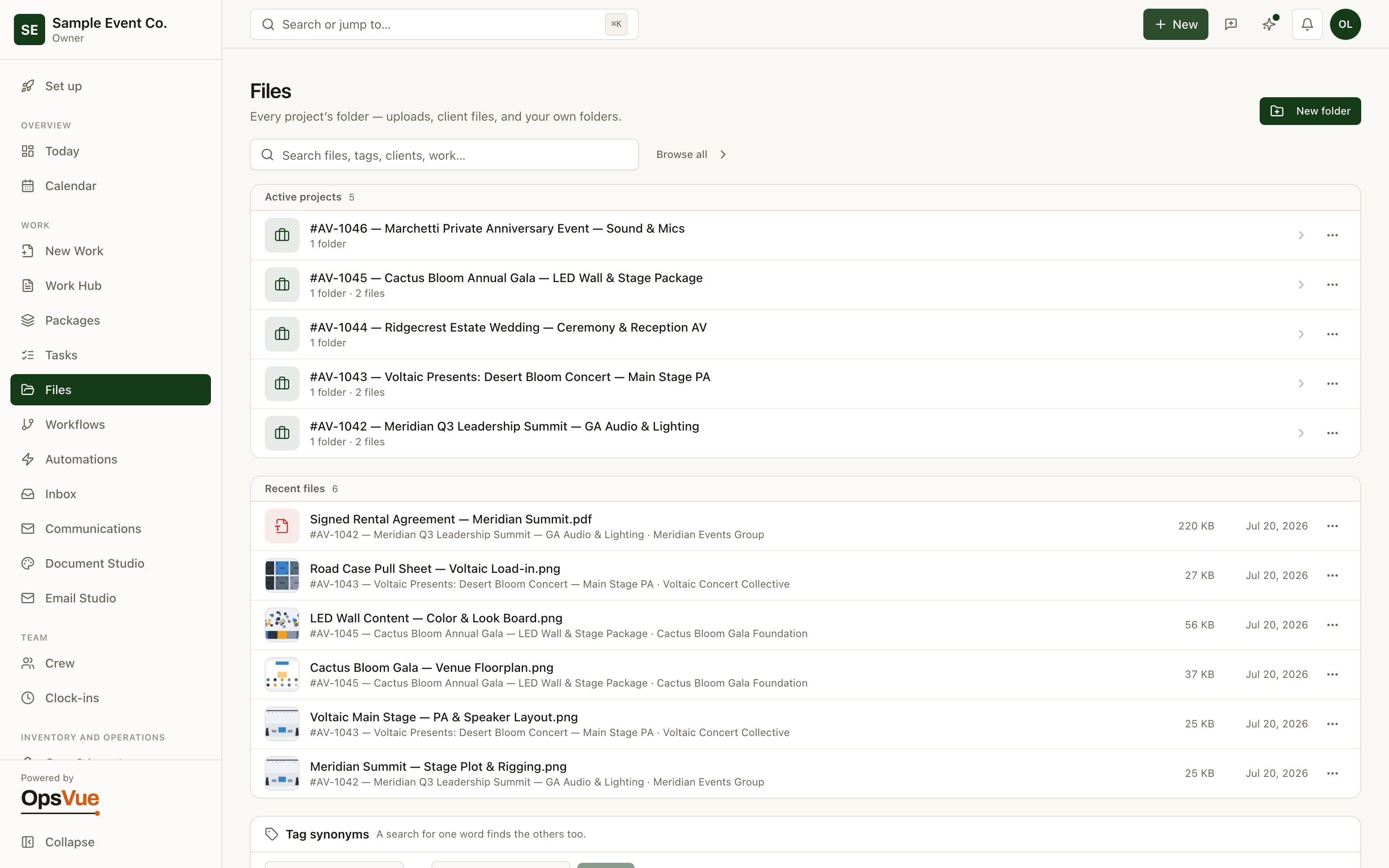
The Files dashboard rolls it up across projects: folders, recent files, tags, and the internal file automations that keep things filed.
Job files live in email attachments, phone photos, desktop folders, and a cloud drive — four places to check, none complete.
Nobody can say which version of a document is current, so the wrong one gets used at the worst time.
Who uploaded what, and when, is guesswork.
Team members either see everything or get files forwarded to them one at a time.
Files a client sends back land in one person's inbox and never reach the job.
Every work record gets its own folder tree automatically, so job files have one home from day one.
Same-name uploads are caught at the door: save as a new version, keep both, or skip — and the current version is always marked.
Every file records its uploader, upload time, and original filename.
Folders are shared per person, so team members in limited roles see exactly what's meant for them.
Clients send files back through their document link, and the workspace is notified the moment they land.
The foundation
The foundation for every Files workflow.
Files dashboard
Every project's files in one place — folders, recent files, tag synonyms, and internal file automations.
Inside a job
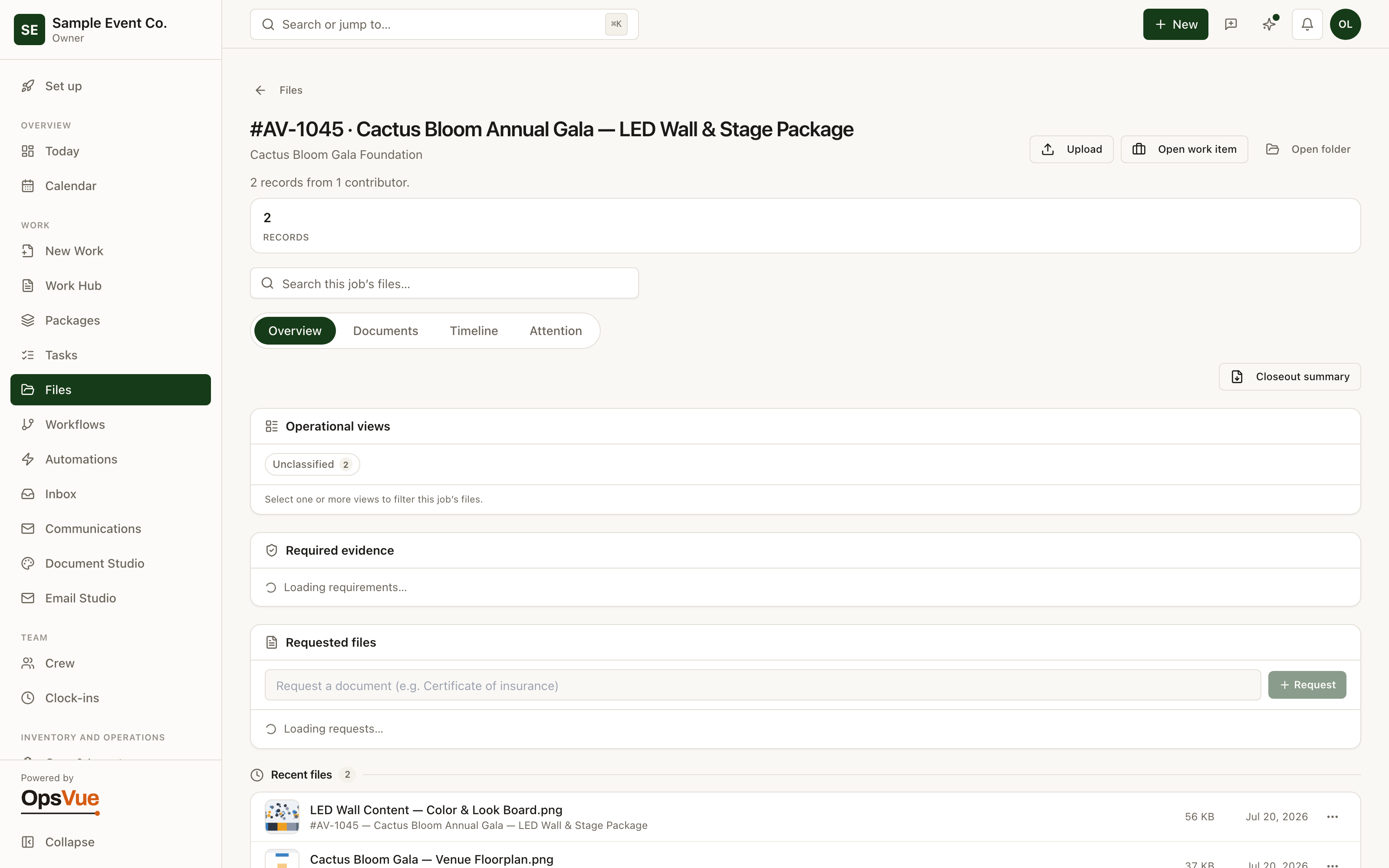
Each job's folder shows generated and uploaded documents — across Overview, Documents, Timeline, and Attention.
And around it
Plus everything you need to get it done.
Each work record is provisioned with its own project folder the moment it exists. Nest folders however your operation thinks — the point is that files land with the job, not with a person.
When an upload matches an existing file, OpsVue asks the right question: is this a new version of the same document, a different file to keep alongside it, or a duplicate to skip? Version families keep the full history and mark which version is current.
The documents OpsVue generates, like quotes, agreements, and invoices, appear in the job's files as version chains too, so the paperwork you produced and the files you collected read as one record.
Every file carries who uploaded it, when, and what it was originally called. Six months later, 'where did this come from' has an answer instead of a shrug.
Share folders with the specific people who need them. Team members in limited roles see only what's been shared with them, so a field team member gets the working files without getting the whole cabinet.
Search by file name, original name, tag, note, uploader, work record, client, or folder — and results say which of those matched. Favorites and file comments keep the frequently used and the discussed close at hand.
Each work record has a files view of its own: an overview of what's there, the documents, a timeline of activity, and an attention list that includes uploads the job's workflow still expects but doesn't have.
Go deeper: Smart Files — the operational problem this solves, end to end.
Files are just the beginning.
Every part of OpsVue runs in the same system, connected to the same work — so each piece you turn on makes the rest more useful.
No credit card required.