OpsVue · Calendar
One calendar for the jobs, the team, and the day.
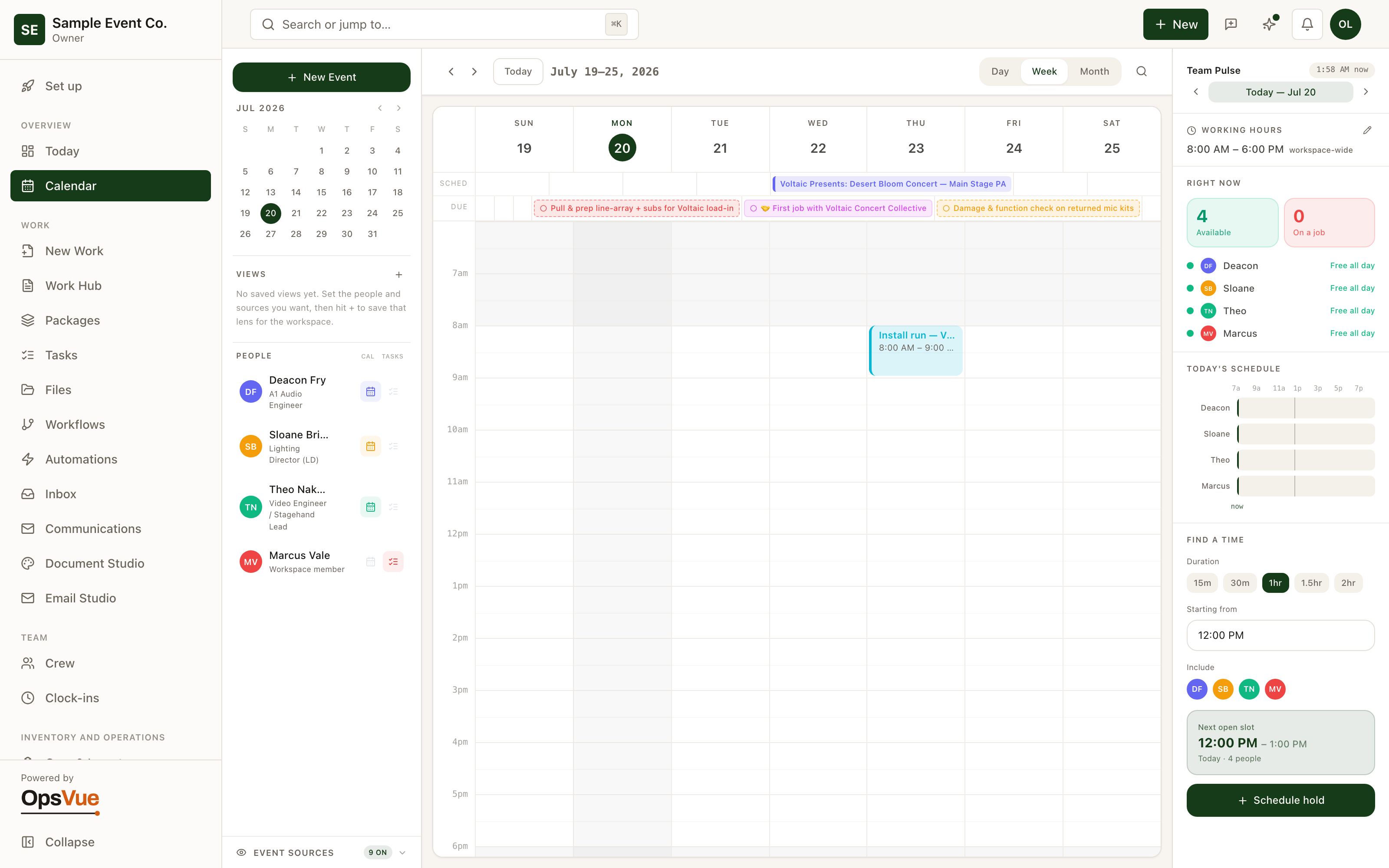
The Calendar puts every job, booking, sub-rental, and task on one shared schedule, so "who is free" stops being a group text and starts being a glance.
Team Pulse goes further: it maps everyone's day, shows who is available right now, and finds the next open slot for the whole group when you need to get people in a room.
The schedule is split across a wall calendar, a spreadsheet, a group chat, and someone's memory — and none of them agree.
You say yes to a booking, then discover what was already promised against those same dates.
Back-to-back bookings leave no time to check, clean, or prep anything in between.
Deliveries, tasks, and payment deadlines live in different places, so something always surfaces the morning it's due.
Whoever answers the phone can't see capacity, so every answer is 'let me check and call you back.'
One company calendar shows bookings, deliveries, item holds, tasks, and money due in a single grid.
Availability is date-scoped, so you see exactly what's committed for a date range while you're still deciding.
Buffer windows protect prep and turnaround time, and OpsVue warns you when a booking would squeeze them.
Everything dated sits on the same calendar, so deadlines surface days ahead instead of the morning of.
Anyone on the team can open the calendar and answer on the spot, from a phone if that's where they are.
The foundation
The foundation for every Calendar workflow.
Team calendar
Every job, booking, sub-rental and task on one team calendar — see at a glance who is free.
Team Pulse
Team Pulse shows who is available right now and maps everyone's day — pick a duration and it finds the next open slot for the whole group.
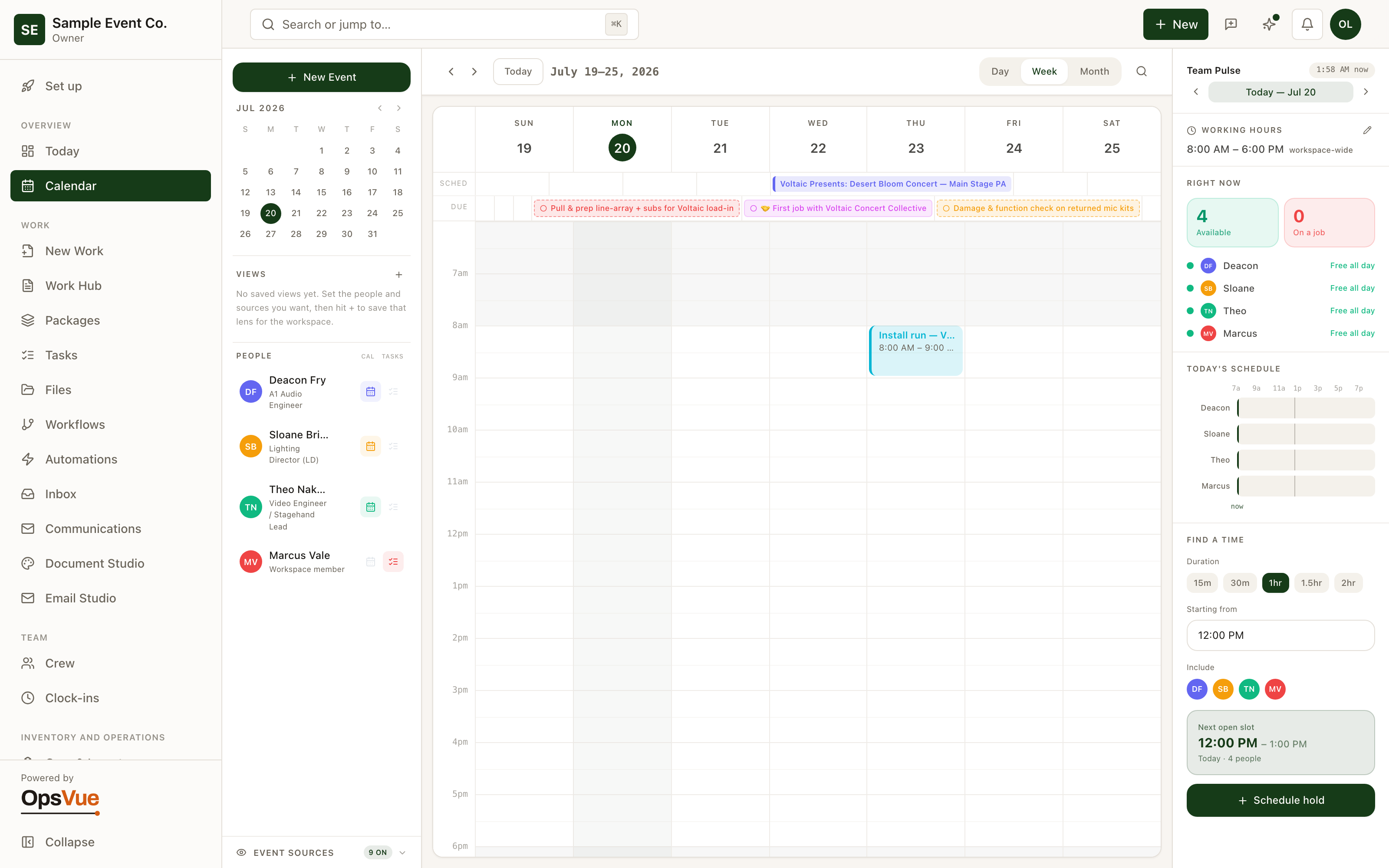
New event
Found a time? Drop a hold straight onto everyone's schedule, and optionally open an email draft to anyone with an address on file. It creates a task too.
And around it
Plus everything you need to get it done.
Bookings, delivery legs, item holds and their buffers, sub-rentals, team tasks, payment due dates, and service windows all render on the same company calendar. If it has a date, it's on the grid.
Confirmed work commits items for its dates, not forever. Two bookings that don't overlap never compete, and a date-range check shows exactly what's free before you promise anything.
Add buffer days around a booking so items have time to be prepped before they go out and checked when they come back. Buffers widen the conflict window, and your workspace decides whether a squeezed buffer warns or blocks.
Item-linked lines show availability warnings at quoting time. OpsVue warns you about a shortage instead of silently blocking the work, so being short becomes a sourcing decision rather than a week-of surprise.
Save filtered views of the calendar, including per-person rows, so a team member opens straight to what concerns them. Rows that carry money amounts are visible only to financial roles.
OpsVue installs as a web app on any phone, with a bottom tab bar built for one-handed use. The calendar in the field is the same calendar in the office.
Each work record carries its own timezone, and each delivery leg can carry its own, so a booking two states away reads in the time that's true on site.
Go deeper: Scheduling & Calendar — the operational problem this solves, end to end.
Calendar is just the beginning.
Every part of OpsVue runs in the same system, connected to the same work — so each piece you turn on makes the rest more useful.
No credit card required.