OpsVue · Gear & Inventory
Know what you have, where it is, and where it's going.
Gear & Inventory keeps the physical side of the operation honest: every asset with its photo, identifiers, units, locations, rate card, and service history — and availability that is true the moment you commit it to a job.
When demand outruns stock, OpsVue flags it while you quote, asks whoever placed the order to acknowledge the conflict, and helps you source the shortage from your own sub-rental vendors.
The owned count lives in a spreadsheet that says what you have, not what's free for a given date.
Double-bookings surface during prep week, when the fix costs the most and the options are fewest.
Back-to-back bookings collide because nothing protects the prep and turnaround time between them.
What left for a job is a mental list, so what came back is a guess, and missing items are discovered months later by the next crew that needs them.
Damaged items go quietly back on the shelf and fail on the next job.
Owned and sub-rented items blur together, so nobody is sure what has to go back to a vendor.
Every item is cataloged the way it actually exists: serialized units for the valuable pieces, counted pools for bulk stock.
Availability is date-scoped, so conflicts show up while you're quoting — not during prep week.
Buffer windows hold protected time around each booking, so items get checked and turned around before going out again.
Check-out and check-in run per job, and missing items are computed from the record (out minus returned), never from memory.
Damage gets flagged at check-in, and the item moves into repair with a service history instead of failing quietly on the next job.
Owned and sub-rented items stay distinct, so vendor items go back where they belong.
The foundation
The foundation for every Gear & Inventory workflow.
The catalog
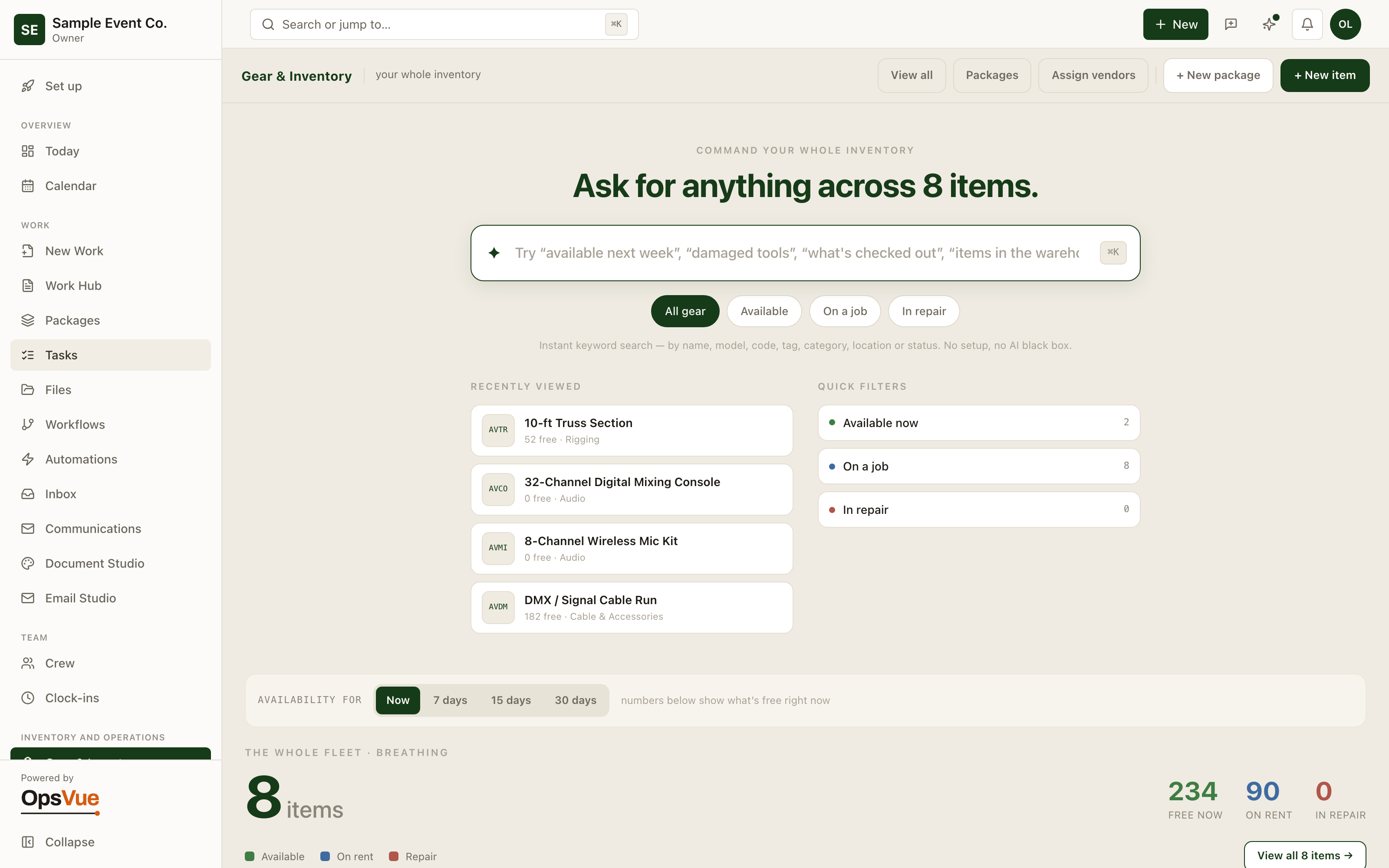
One searchable record for every asset you own.
Search everything
Search your whole inventory in plain language — OpsVue finds the gear across every category.
Identity & photo
Every asset with its photo, identifiers and category, all in one record.
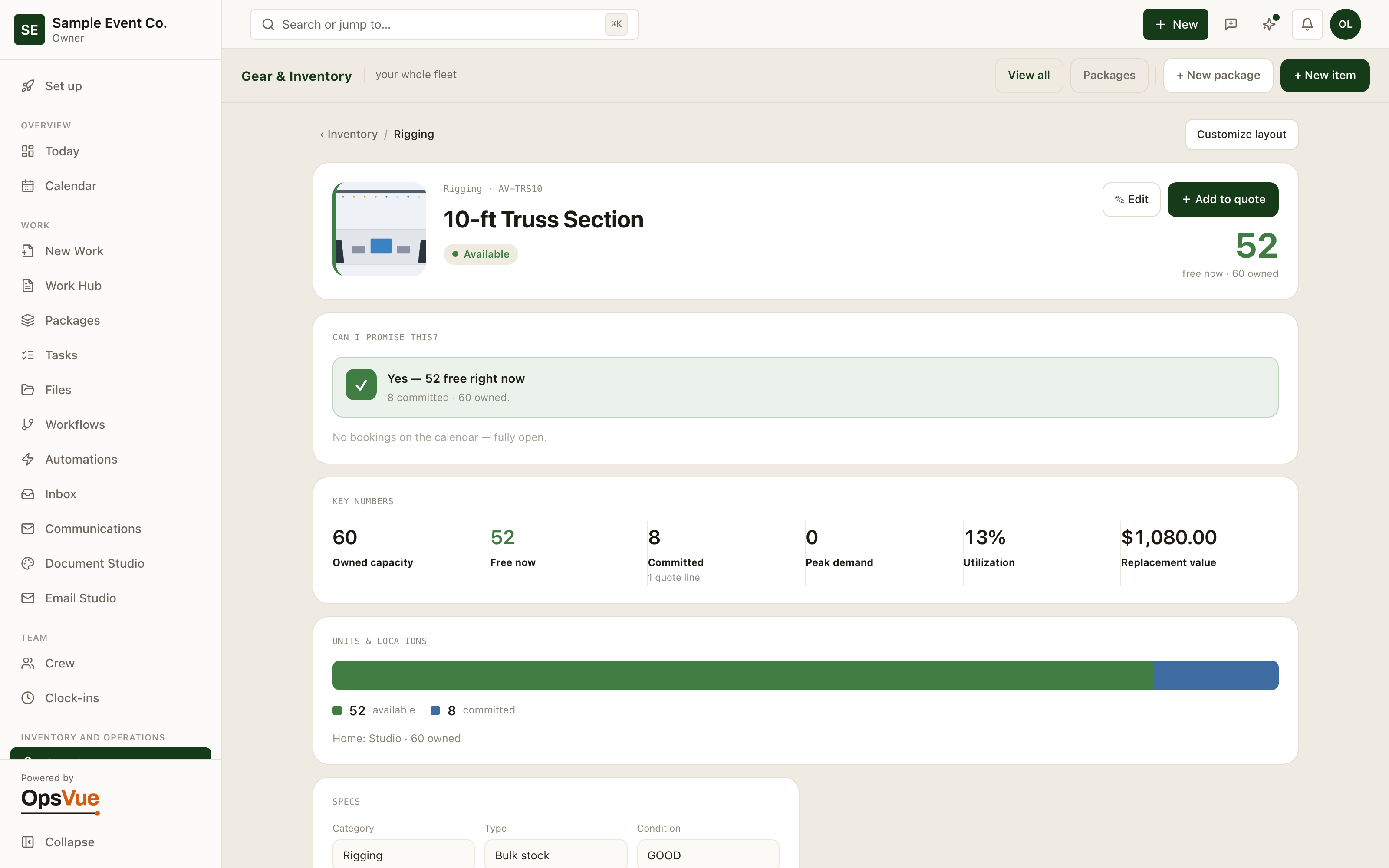
Units & locations
Track each unit and exactly where it lives.
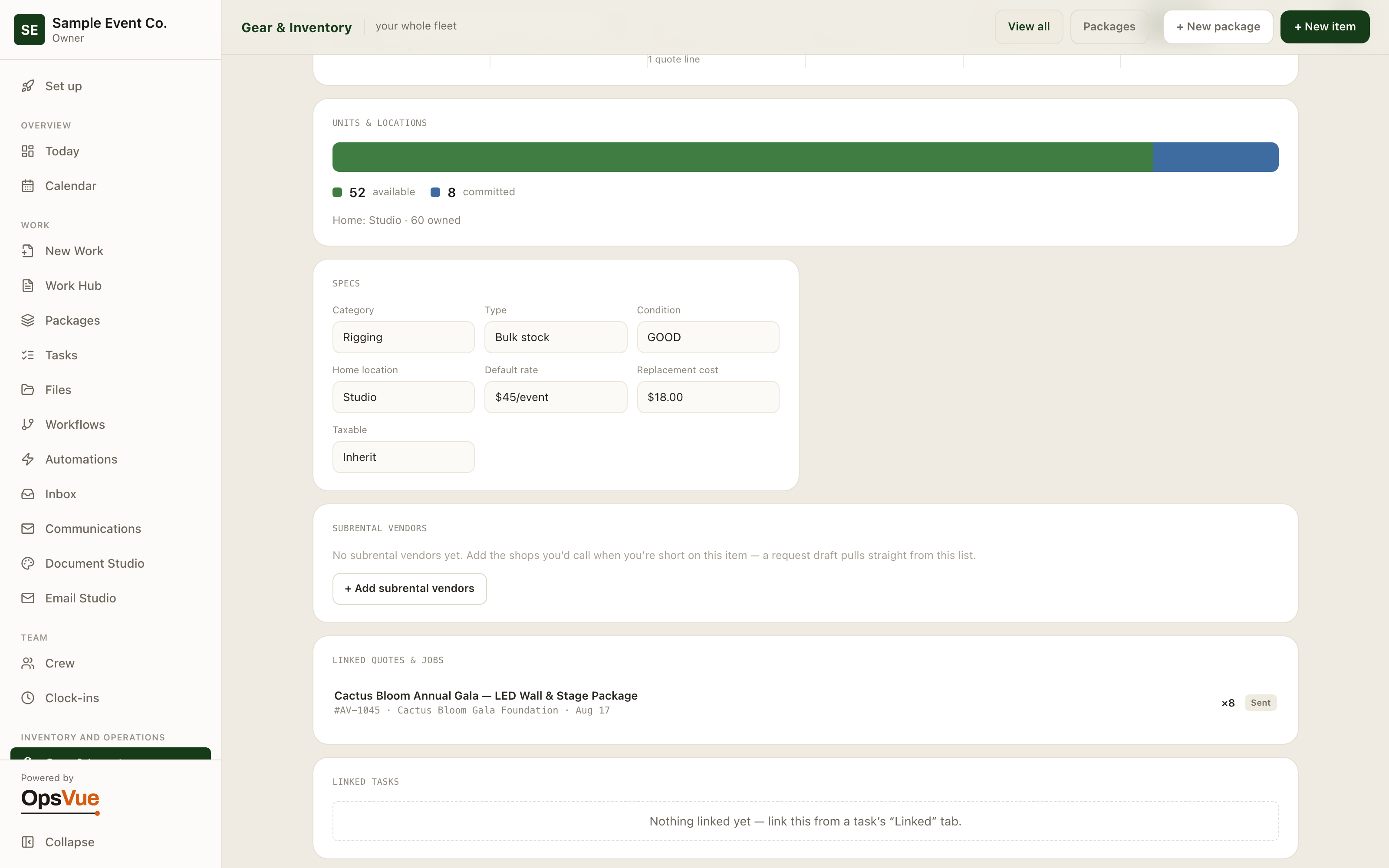
Pricing & money
Rate cards, replacement value and billable days on every item.
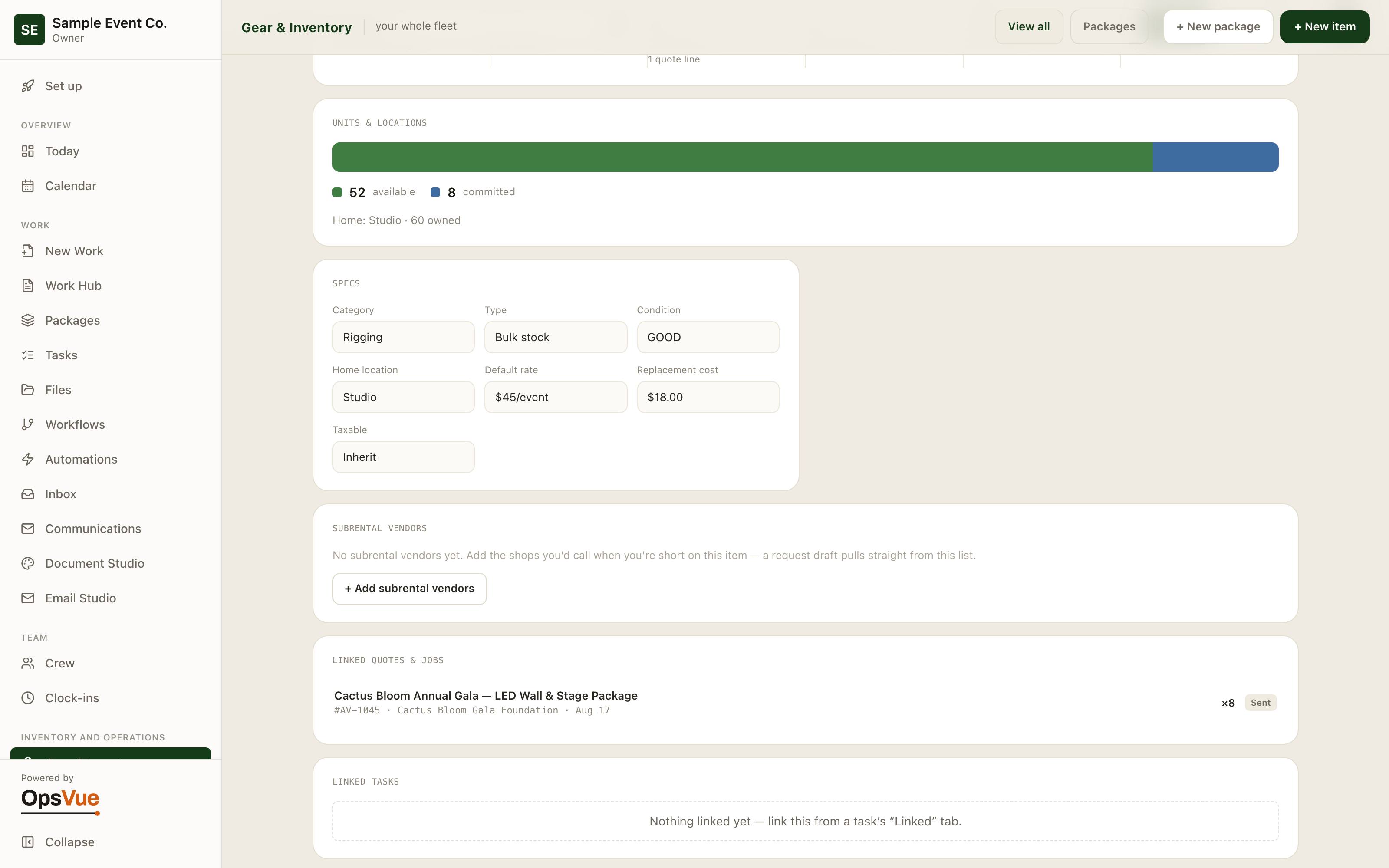
Operations
Service history, maintenance and live status at a glance.
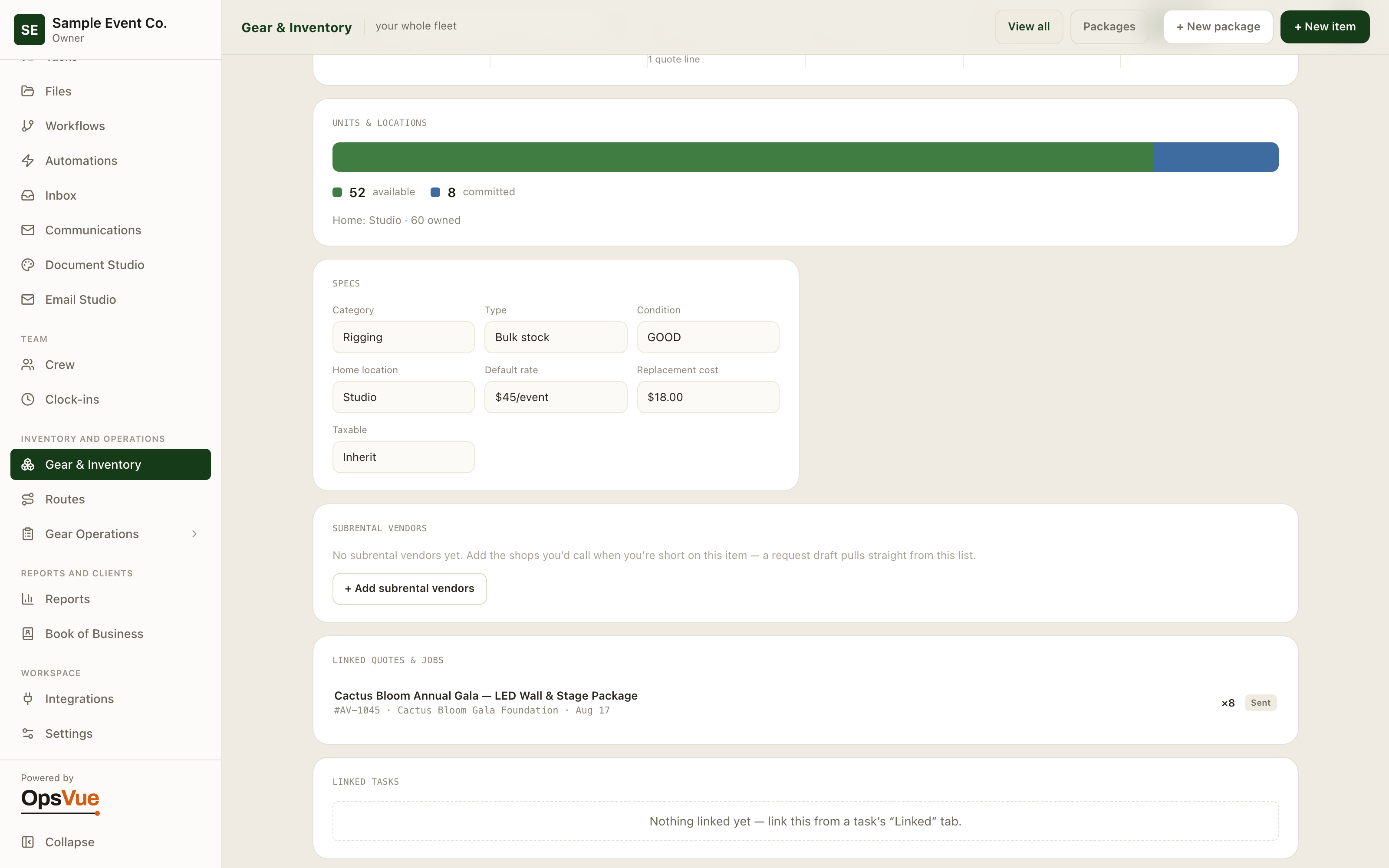
Subrental
Flag the items you sub-rent and who you get them from.
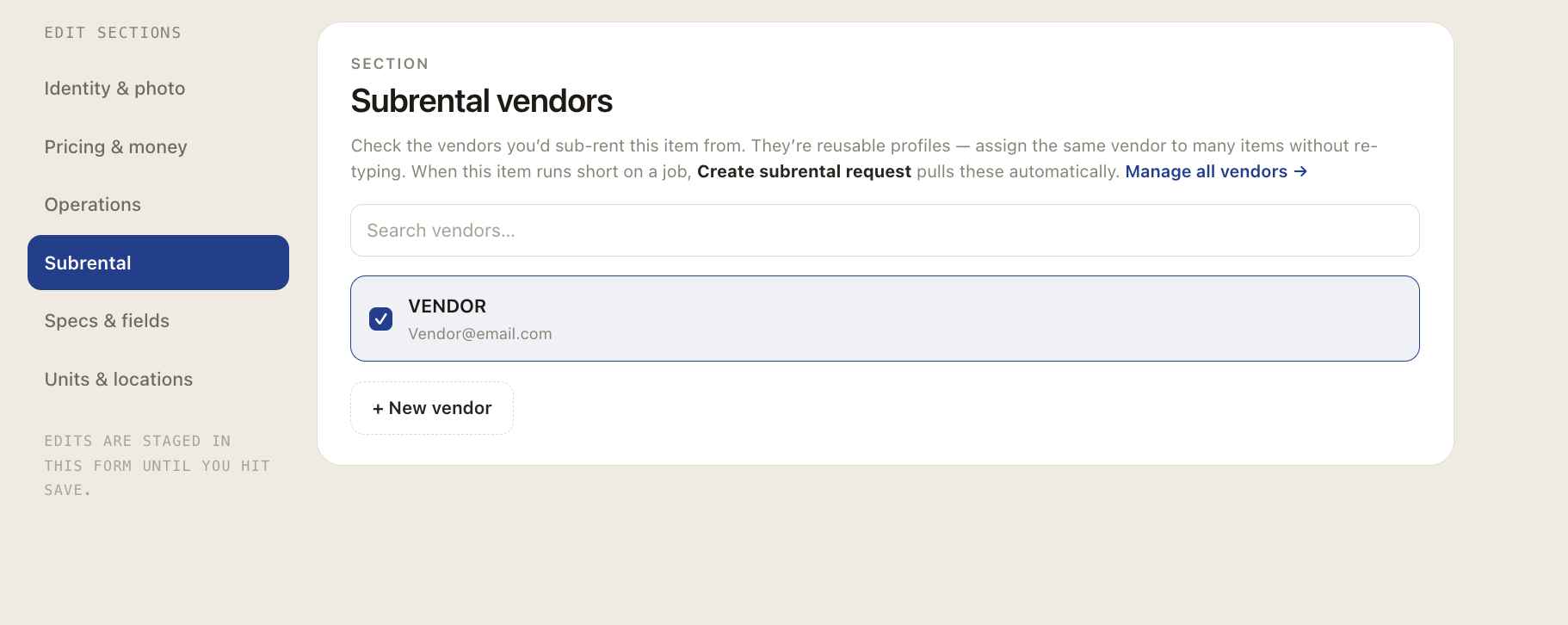
Availability & sub-rentals
Conflicts surface while you quote — not on the day.
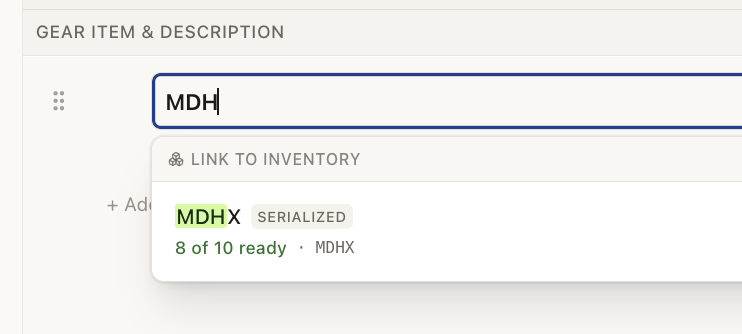
Auto-link inventory
Start typing a gear name — OpsVue auto-detects the matching inventory and lets you link it in one click, or leave it as a plain line.
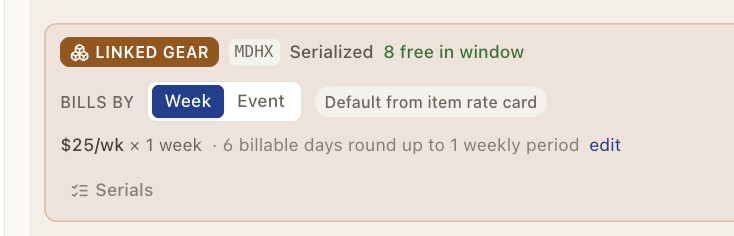
Linked on the Builder
Once linked, the line shows live availability, its rate card and billable days — right on the Builder.
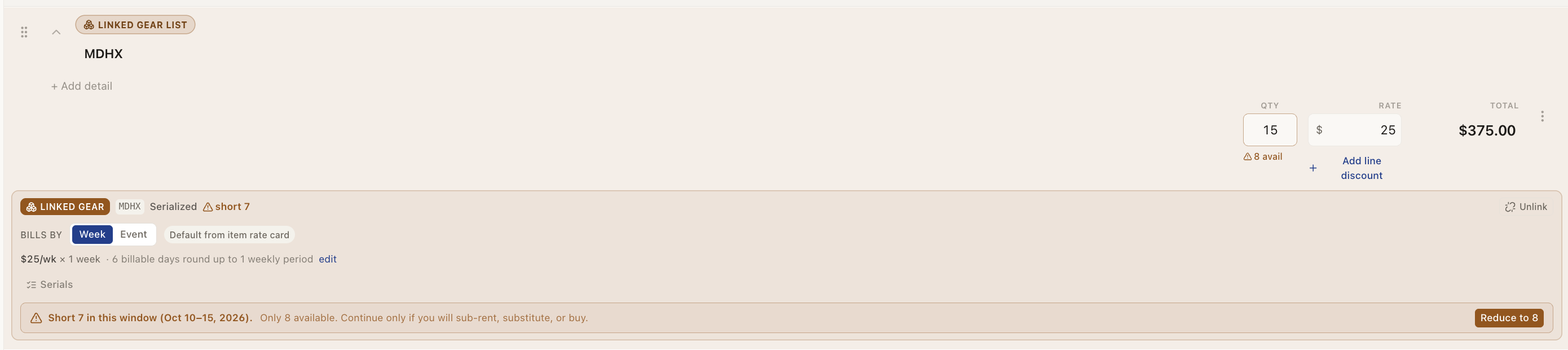
Availability check
As you type quantities, OpsVue flags when you go over available stock — reduce to fit, or overbook on purpose and sub-rent.
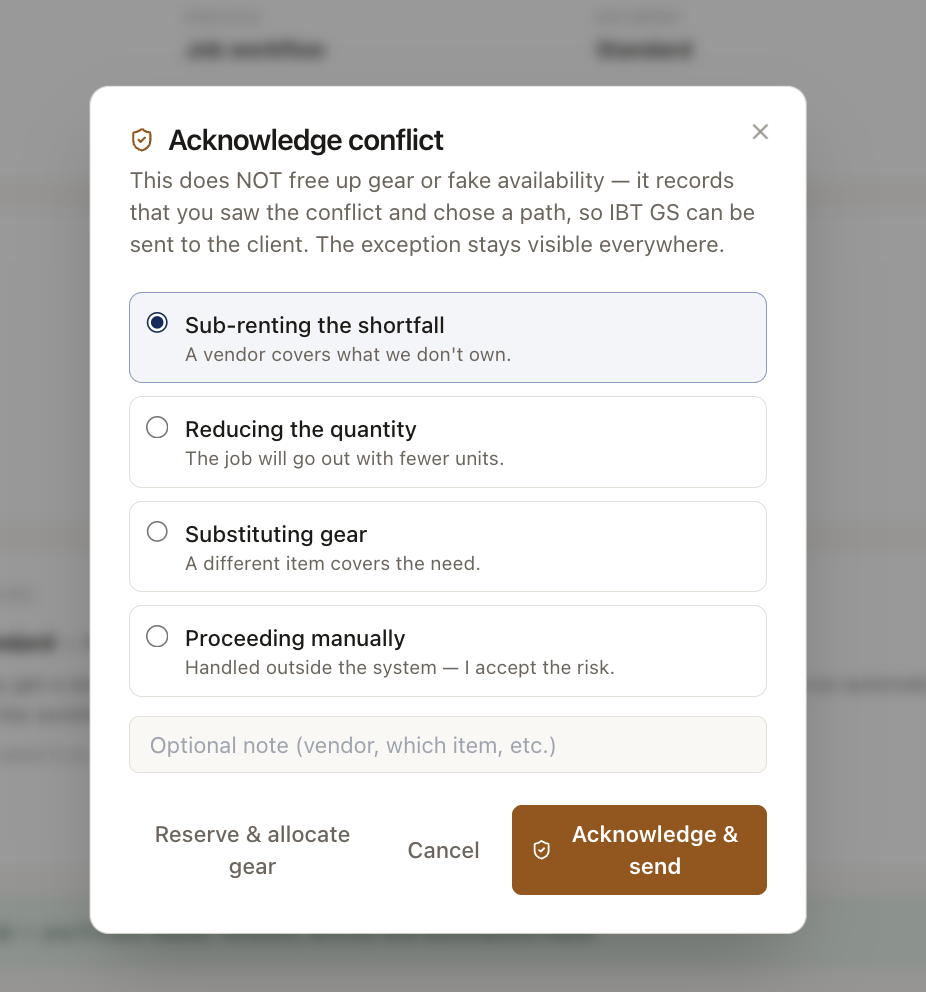
Acknowledge conflict
Before it sends, OpsVue asks whoever placed the order to acknowledge the conflict and pick a plan — so nothing slips out unseen.
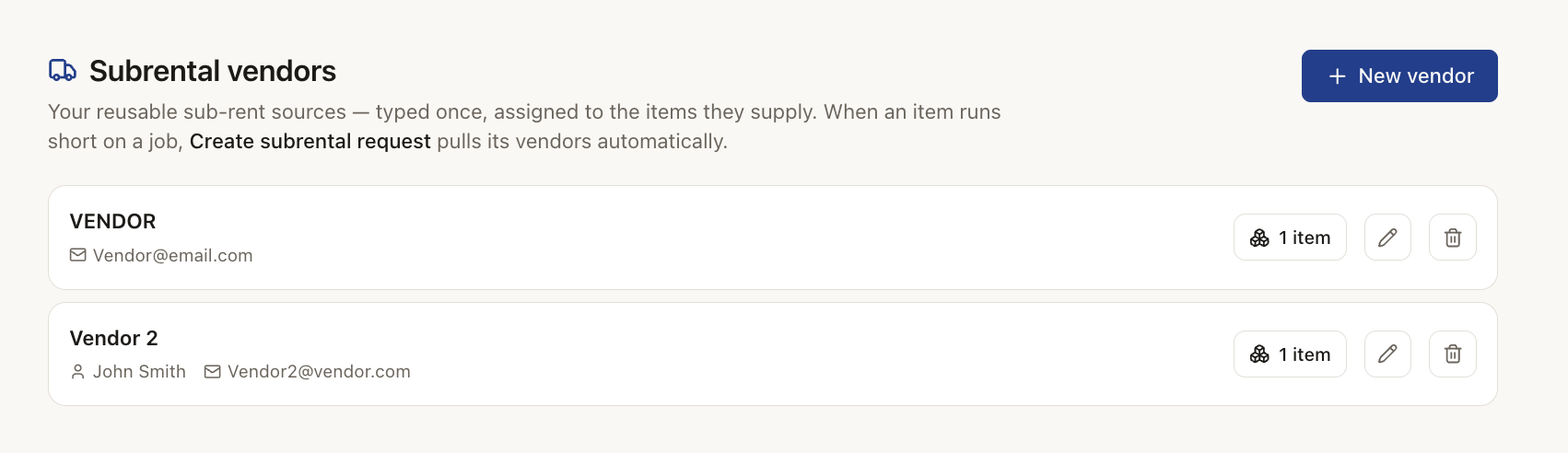
Assign vendors
Assign vendors to each item once — the same item can have several. When it runs short, OpsVue pulls those vendors automatically.
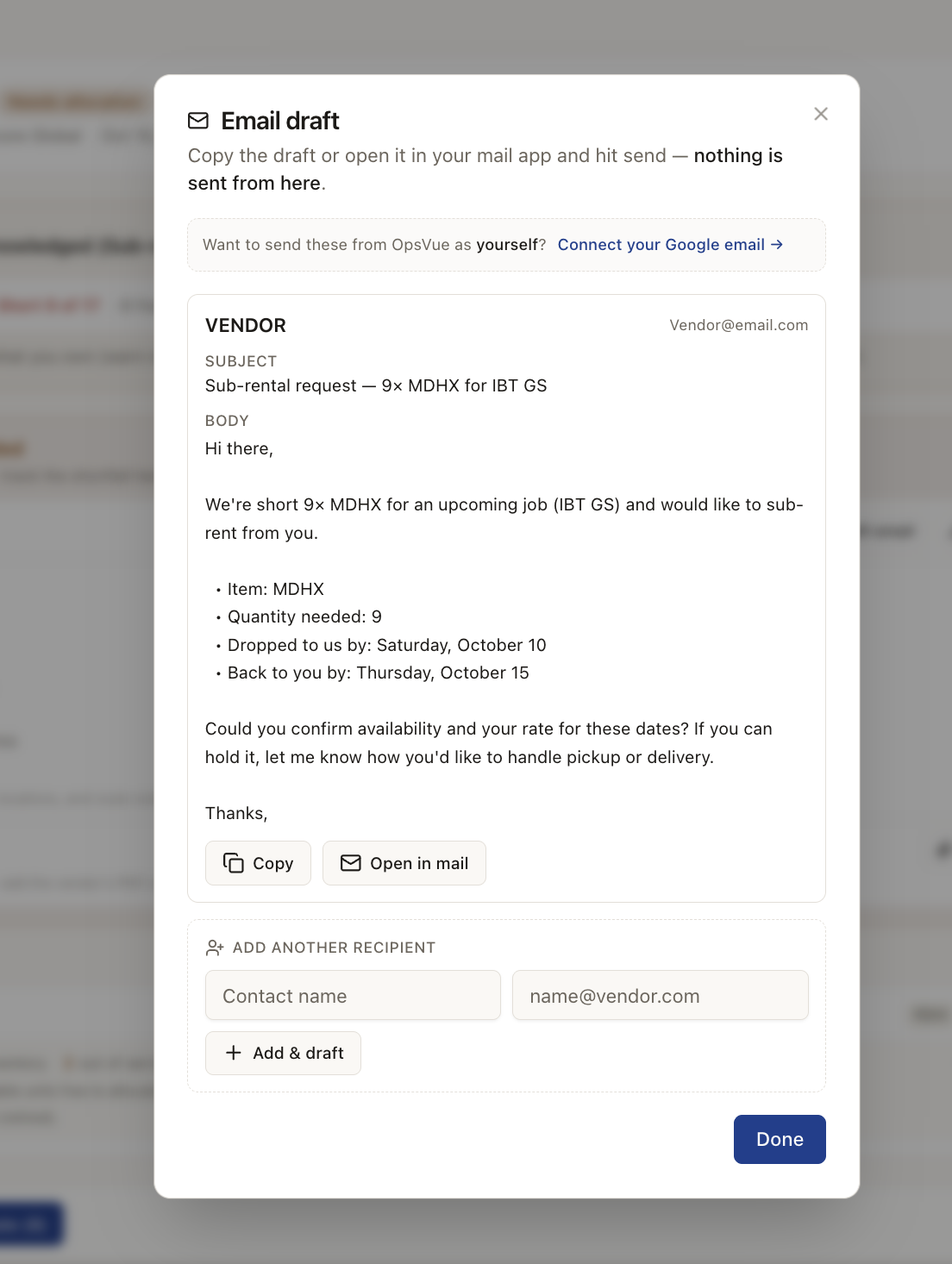
Draft vendor email
Short on a job? Draft the sub-rental email to your vendors in one click — link your Gmail to send it as yourself.
Checkout, check-in & returns
Every unit's stage is visible from pull to put-away.
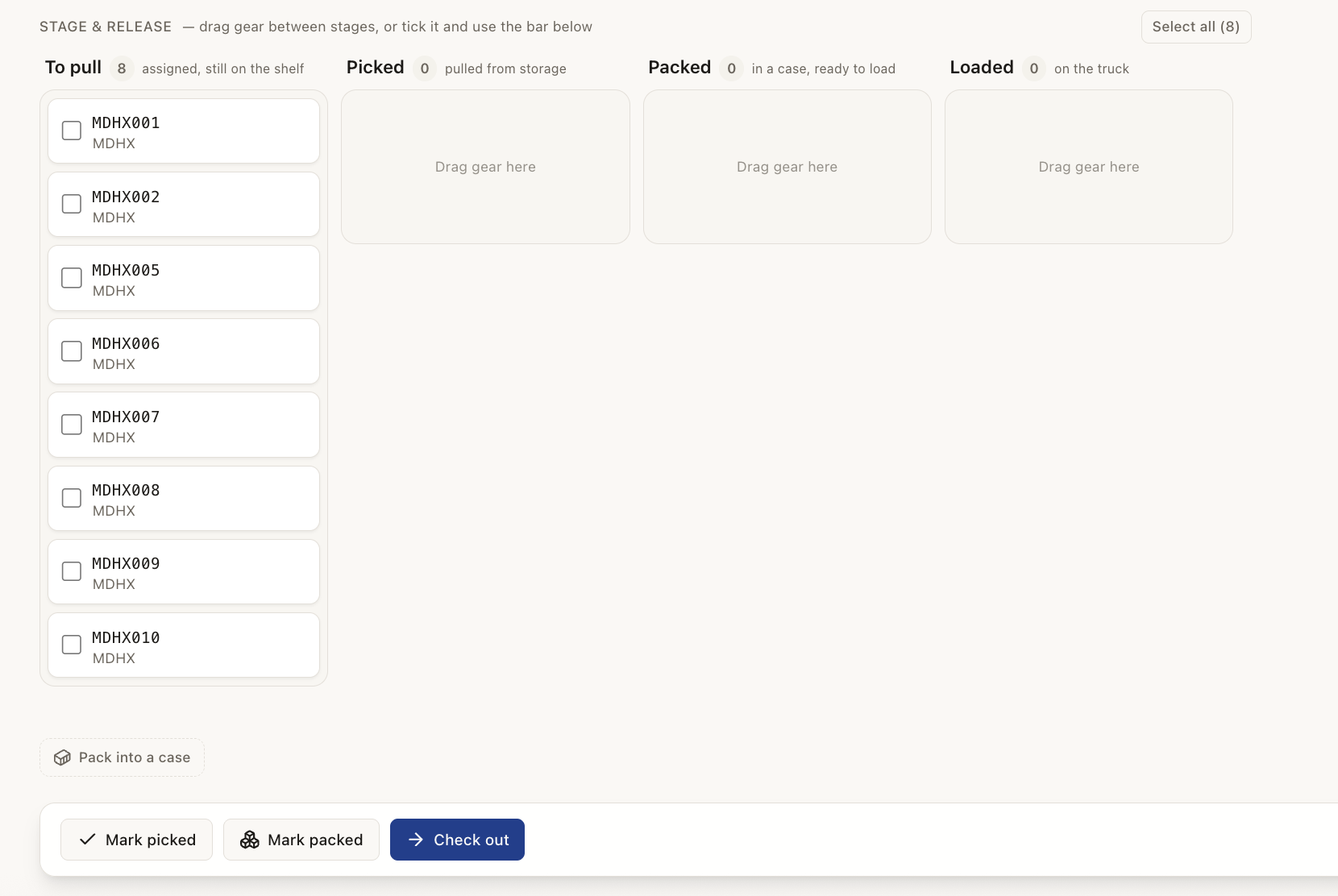
Stage & release
Drag gear from To pull → Picked → Packed → Loaded, then check it out — anyone can see the exact stage every unit is at.
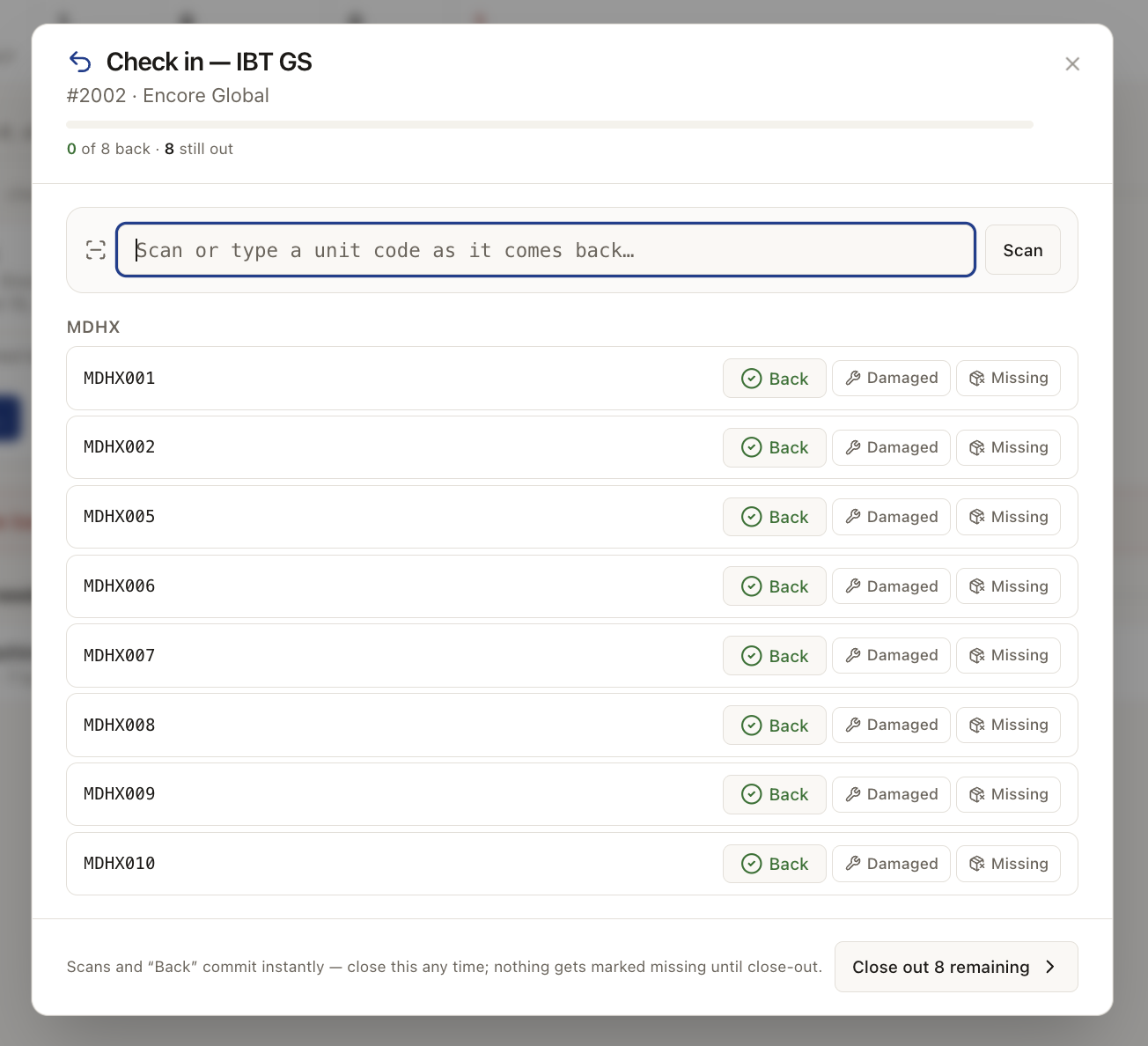
Check in
Scan or tap each unit back in — mark it Back, Damaged, or Missing as it returns.
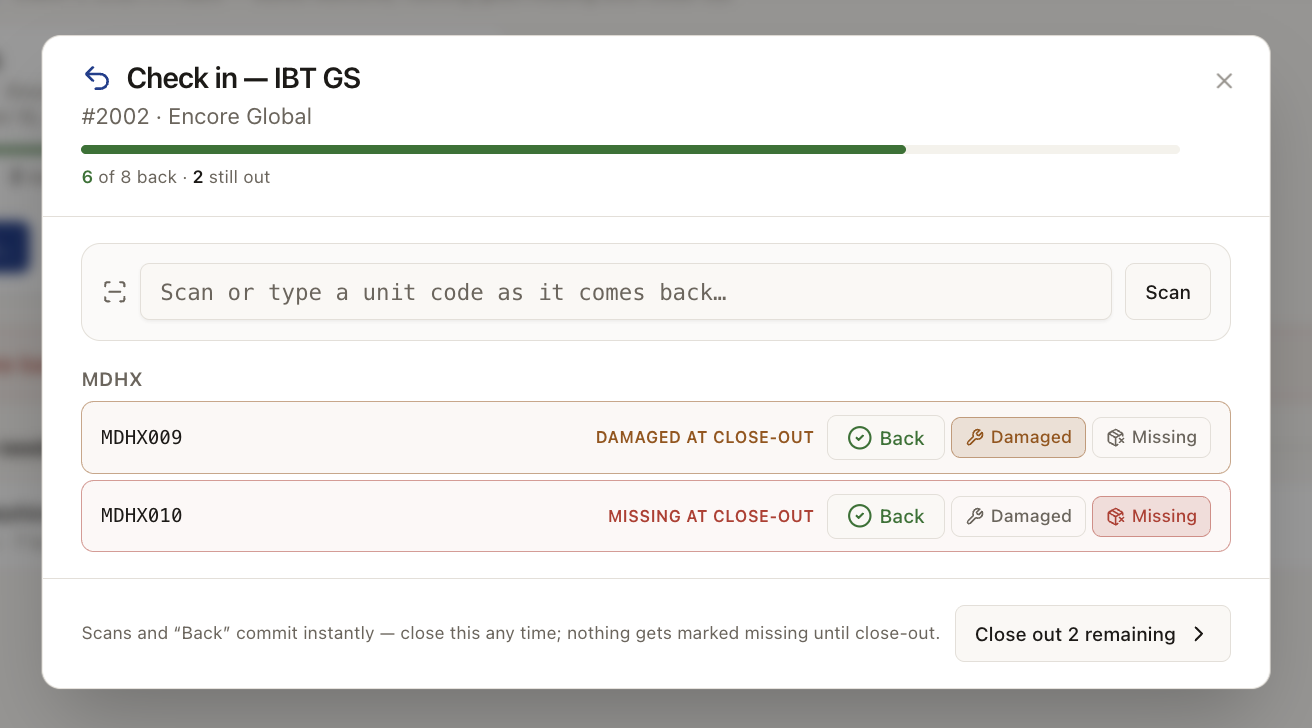
Damage & missing
At close-out, flag anything damaged or missing — it rolls straight into Return Issues with the loss on the job.
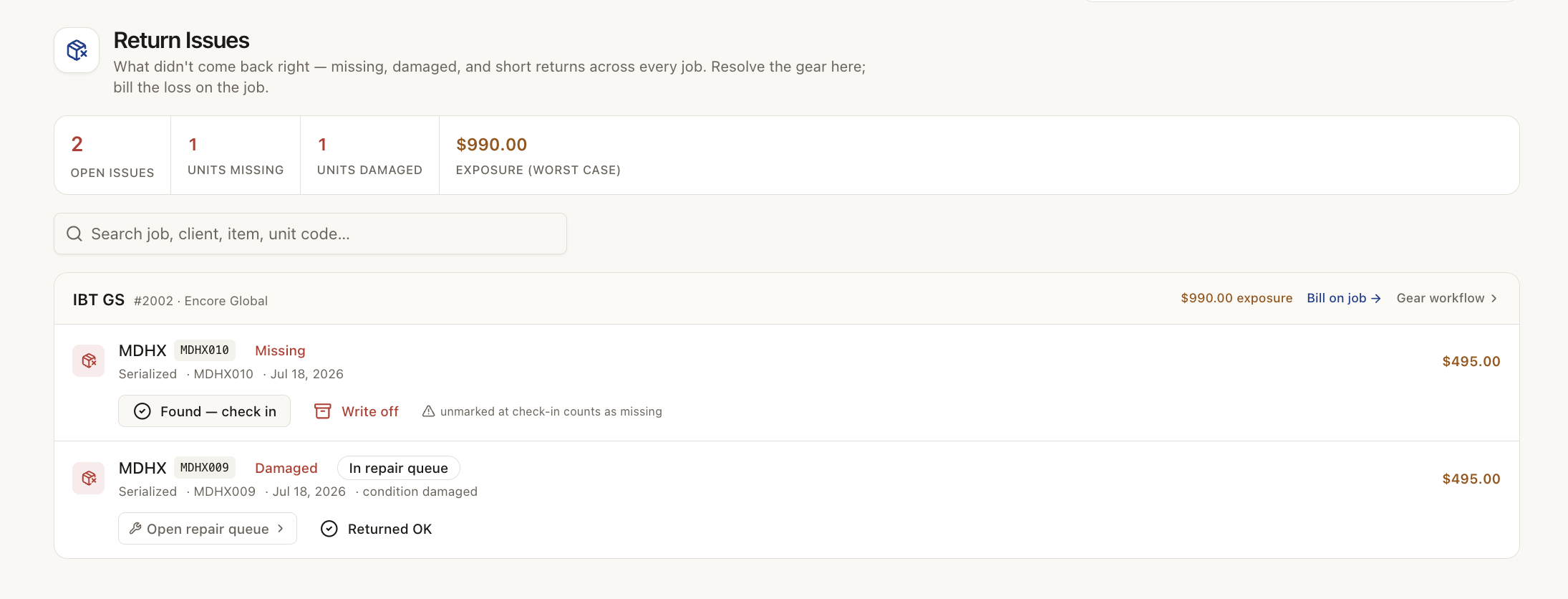
Return Issues
Every missing, damaged or short return in one log — resolve the gear, or bill the loss straight back on the job.
And around it
Plus everything you need to get it done.
Serialize the items worth tracking as individuals, with unit codes, per-unit condition, status, and history — and keep bulk stock as counted pools. Custom spec fields, model numbers, SKUs, and tags keep the whole catalog searchable.
Confirmed work turns into dated demand against your stock. Jobs that don't overlap never compete, and turnaround buffers widen the conflict window so the calendar reflects reality instead of wishful math.
Being short is a sourcing problem, not a reason the software should stop you. OpsVue warns, then gives you real options: acknowledge and proceed, reduce the quantity, substitute, or open a sub-rental request for the exact shortfall.
When a job confirms, its items are held for those dates. Reserve and allocate turns the quoted list into concrete units, so two jobs never assume the same piece on the same weekend.
Fulfillment runs as a chain of custody per job: pull the list, pack it, load it, check it out, check it back in. Scan or type to advance each unit — printable barcode labels work with standard handheld scanners, and a keyboard works fine until you have one.
At check-in, missing is math: what went out minus what came back. Damage gets flagged in the same pass and feeds a repair queue with service events per item — and missing-item charges become their own clearly numbered document, never blurred into the job balance.
Group items and service lines into reusable packages with per-component pricing behavior: billable, included, optional add-on, or internal-only lines the client never sees. Quotes expand a snapshot, so editing a package later never rewrites a saved quote.
Go deeper: Inventory & Equipment — the operational problem this solves, end to end.
Gear & Inventory is just the beginning.
Every part of OpsVue runs in the same system, connected to the same work — so each piece you turn on makes the rest more useful.
No credit card required.